
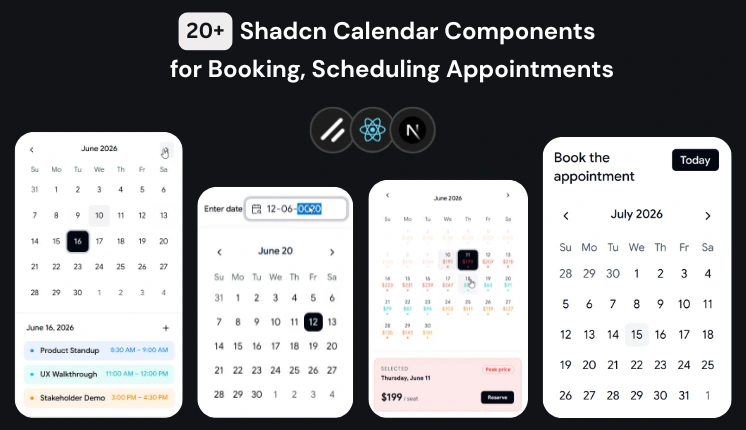
Calendars are more than date pickers.
They help users book appointments, schedule meetings, hotel booking, manage events, track deadlines, select dates, and organize daily workflows.
A well-designed calendar improves the entire user experience by making date selection fast, clear, and intuitive.
If you’re building a SaaS product, booking platform, HR system, CRM, project management tool, healthcare application, or admin dashboard, choosing the right calendar component can save hours of development time.
In this collection, you’ll discover calendar components for booking platforms, appointment schedulers, event management systems, travel applications, and admin dashboards. From simple calendar components to advanced schedulers with range selection and timezone support, these examples can help you build modern React and Next.js applications faster.
We evaluated these calendar examples based on:
- Developer experience
- Booking and scheduling use cases
- Customization flexibility
- Responsive layouts
- Accessibility
- Production-ready implementation
- Real-world application support
Whether you need a lightweight calendar or a complete scheduling solution, you’ll find examples that fit almost every project.
Why Use Shadcn Calendar Components?
Calendar components are used across many modern web applications.
Instead of building date selection logic from scratch, these ready-made examples let you focus on your application’s business logic.
Common use cases include:
- Hotel and travel booking
- Appointment scheduling
- Healthcare reservation systems
- Event management
- Team scheduling
- HR leave management
- SaaS dashboards
- Project planning
- Meeting planners
- Rental platforms
- Restaurant reservations
Explore the Best Shadcn Calendar
We’ve handpicked 20+ Shadcn Calendar examples built with React, Next.js, Tailwind CSS, and Base UI. Each example focuses on a different scheduling or date selection use case, making it easier to find the right calendar for your application.
Standard Calendar
A clean and minimal calendar component built for everyday date selection, scheduling, and planning. Its familiar layout makes it easy for users to browse months, choose dates, and manage schedules without distractions. This component integrates well into forms, dashboards, booking pages, and productivity applications.

Key Features
- Single date selection
- Responsive monthly calendar view
- Keyboard-friendly navigation
- Easy React integration
- Customizable Tailwind styling
Best for: Booking forms, dashboards, profile settings, productivity apps.
Basic Calendar
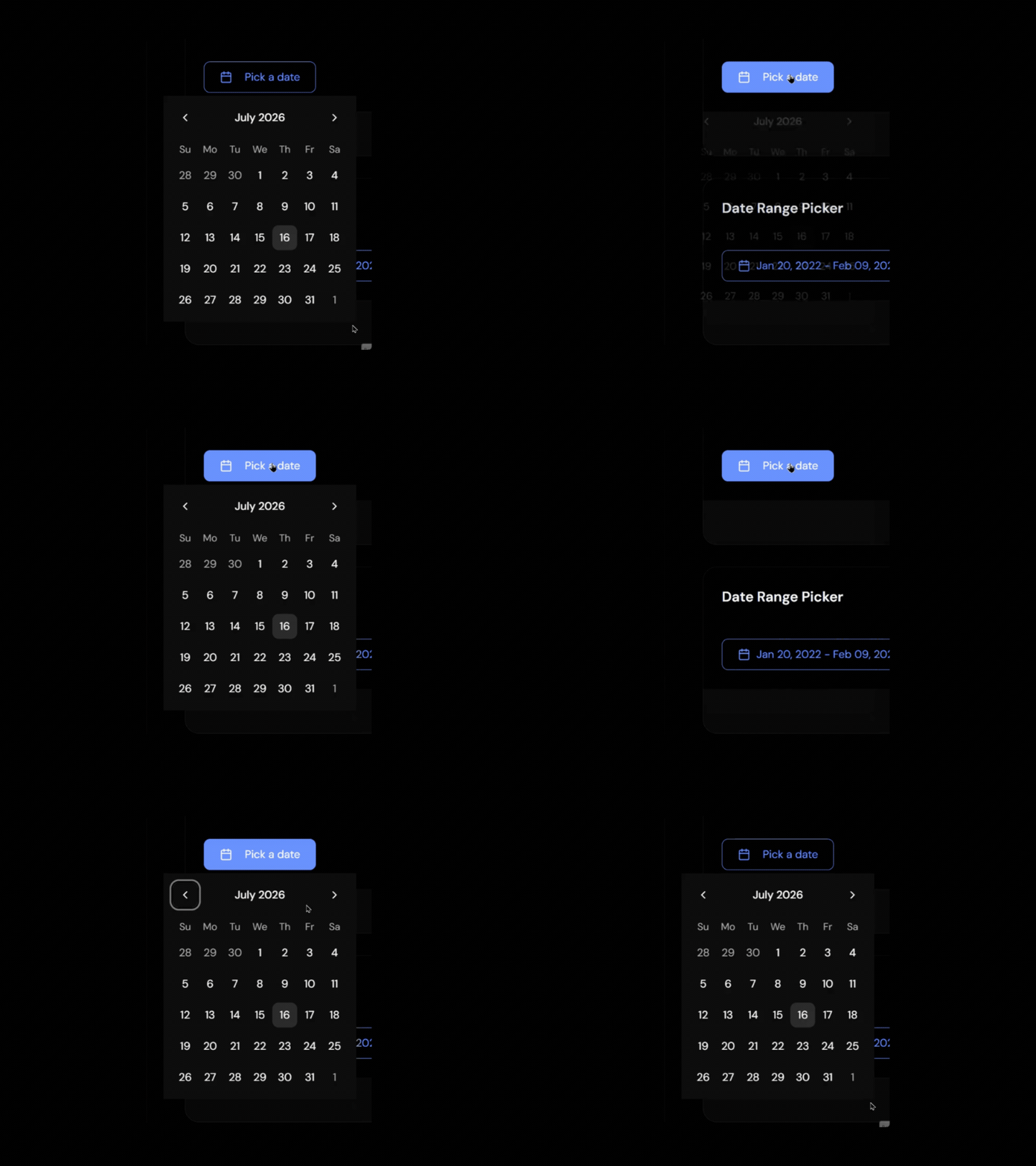
A lightweight date picker that’s easy to integrate into forms, filters, dashboards, and simple scheduling workflows.
Key Features
- Simple date selection
- Lightweight implementation
- Form integration
- Responsive layout
- Easy React integration
Best for: Forms, dashboards, profile settings, admin applications.
Style Calendar
A polished calendar with enhanced visuals that blends naturally into modern SaaS interfaces. Improved typography, spacing, hover states, and color treatments make it suitable for applications where design quality is just as important as functionality.

Key Features
- Modern UI styling
- Custom color variants
- Dark mode support
- Interactive hover states
- Responsive layout
Best for: SaaS products, CRM platforms, analytics dashboards, customer portals.
Shadcn Date & Time Calendar
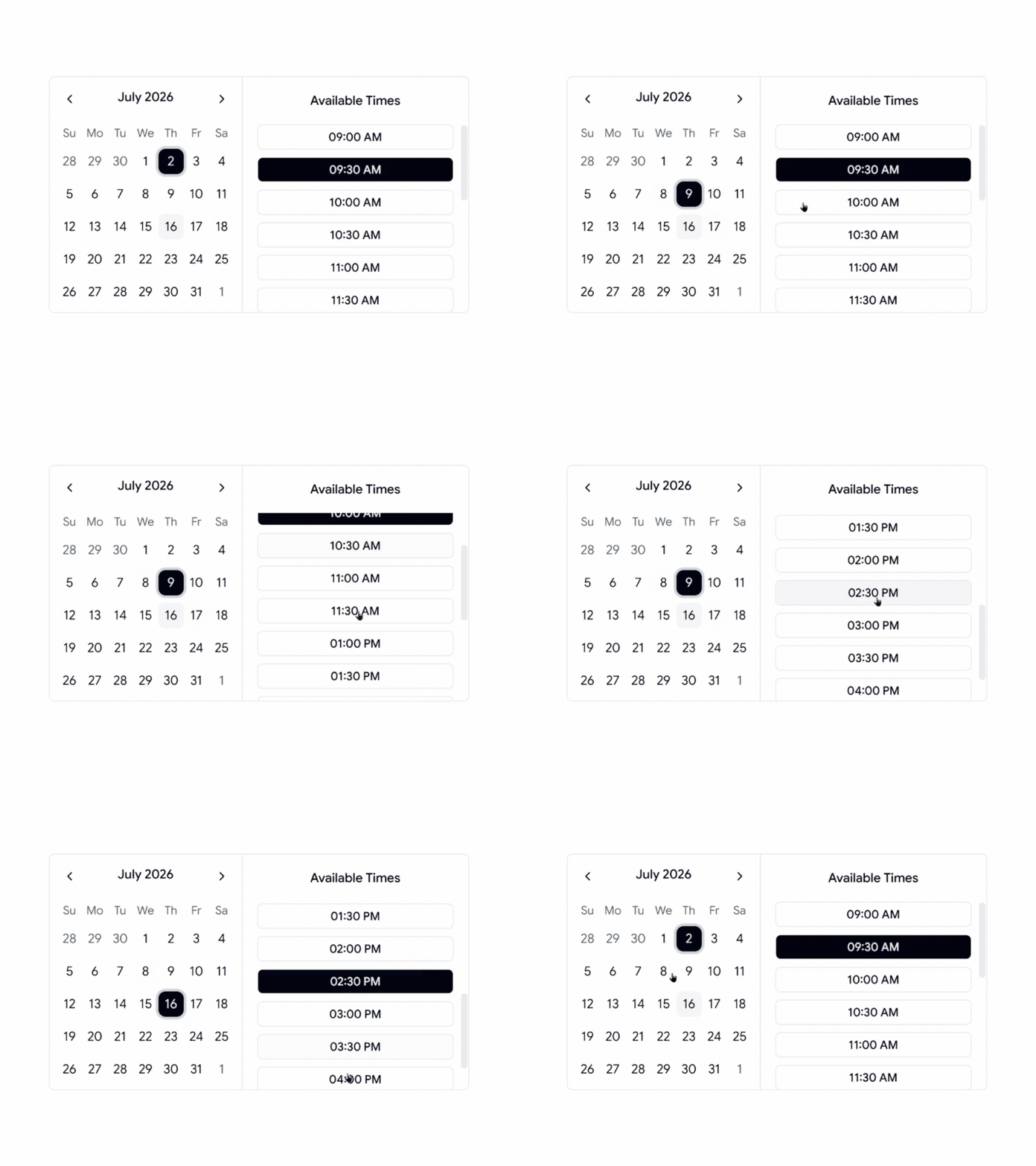
This calendar combines date selection with available time slots, allowing users to schedule appointments in a single interface. It simplifies booking workflows by displaying both calendar dates and available meeting times together.
Key Features
- Date and time slot selection
- Appointment scheduling
- Availability management
- Booking-friendly layout
- Mobile responsive
Best for: Healthcare, salons, consultations, coaching platforms, reservations.
Calendar Dialog
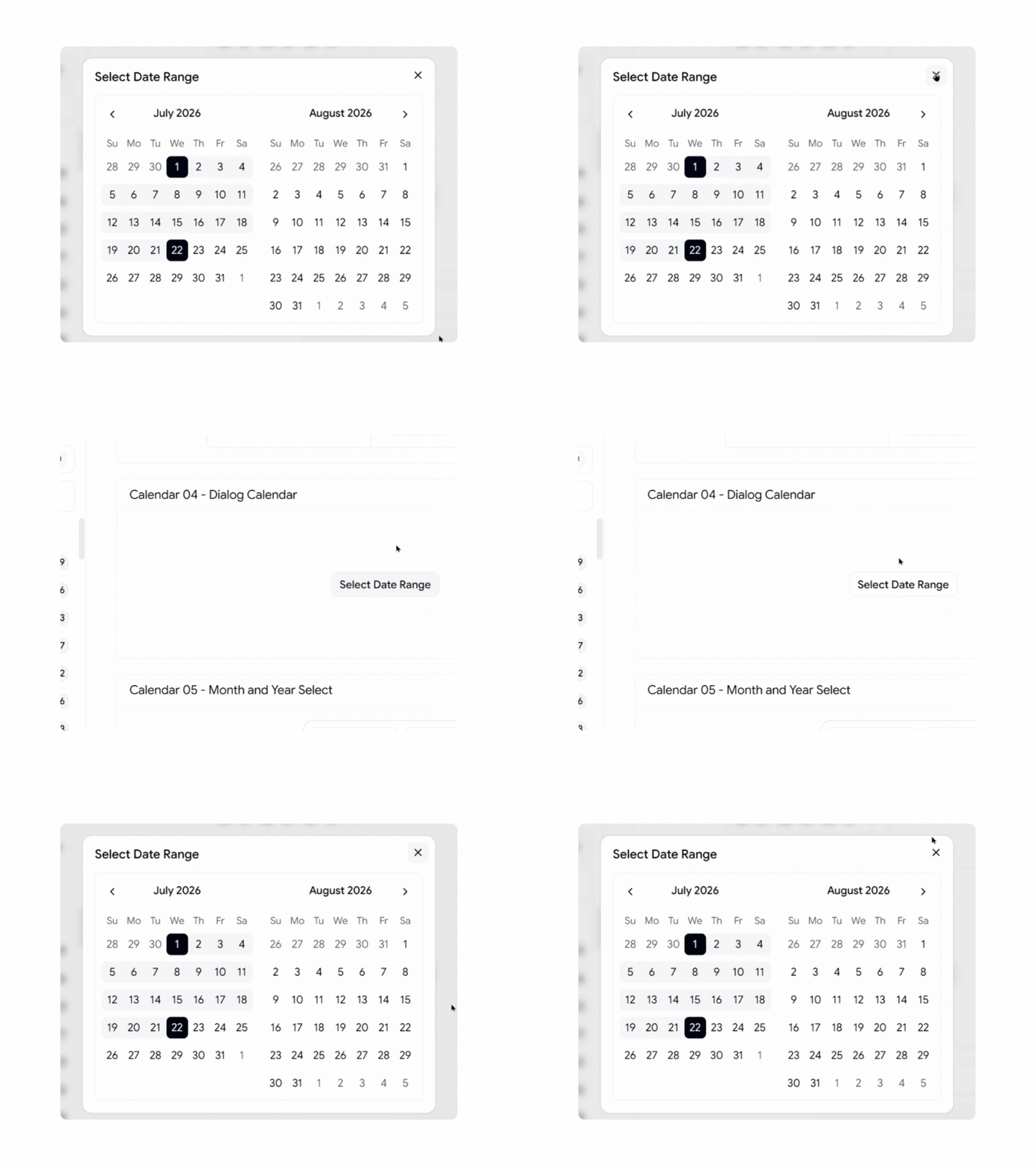
Instead of occupying page space, this calendar opens inside a dialog window for focused date selection. It keeps forms clean while allowing users to quickly choose dates without navigating away from their current task.
Key Features
- Modal-based calendar
- Focus management
- Compact UI
- Form integration
- Keyboard accessibility
Best for: Checkout forms, booking flows, admin panels, popup forms.
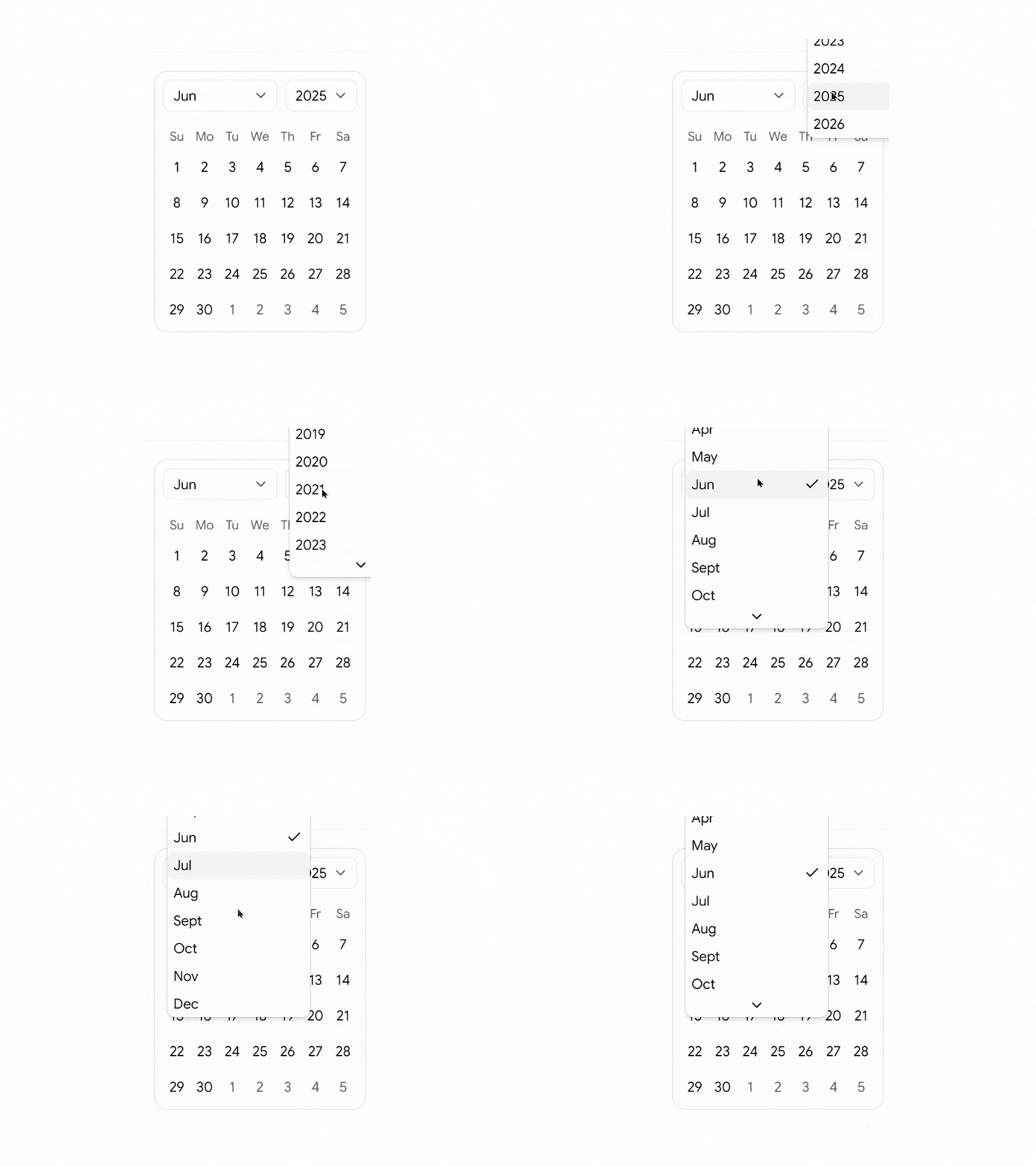
Month and Year Selection Calendar
Designed for faster navigation across long date ranges, this calendar includes dedicated month and year selectors. Users can quickly jump between years without repeatedly clicking previous or next buttons.
Key Features
- Month dropdown
- Year selector
- Fast date navigation
- Historical date support
- Customizable controls
Best for: Date of birth forms, employee records, reporting tools, archives.
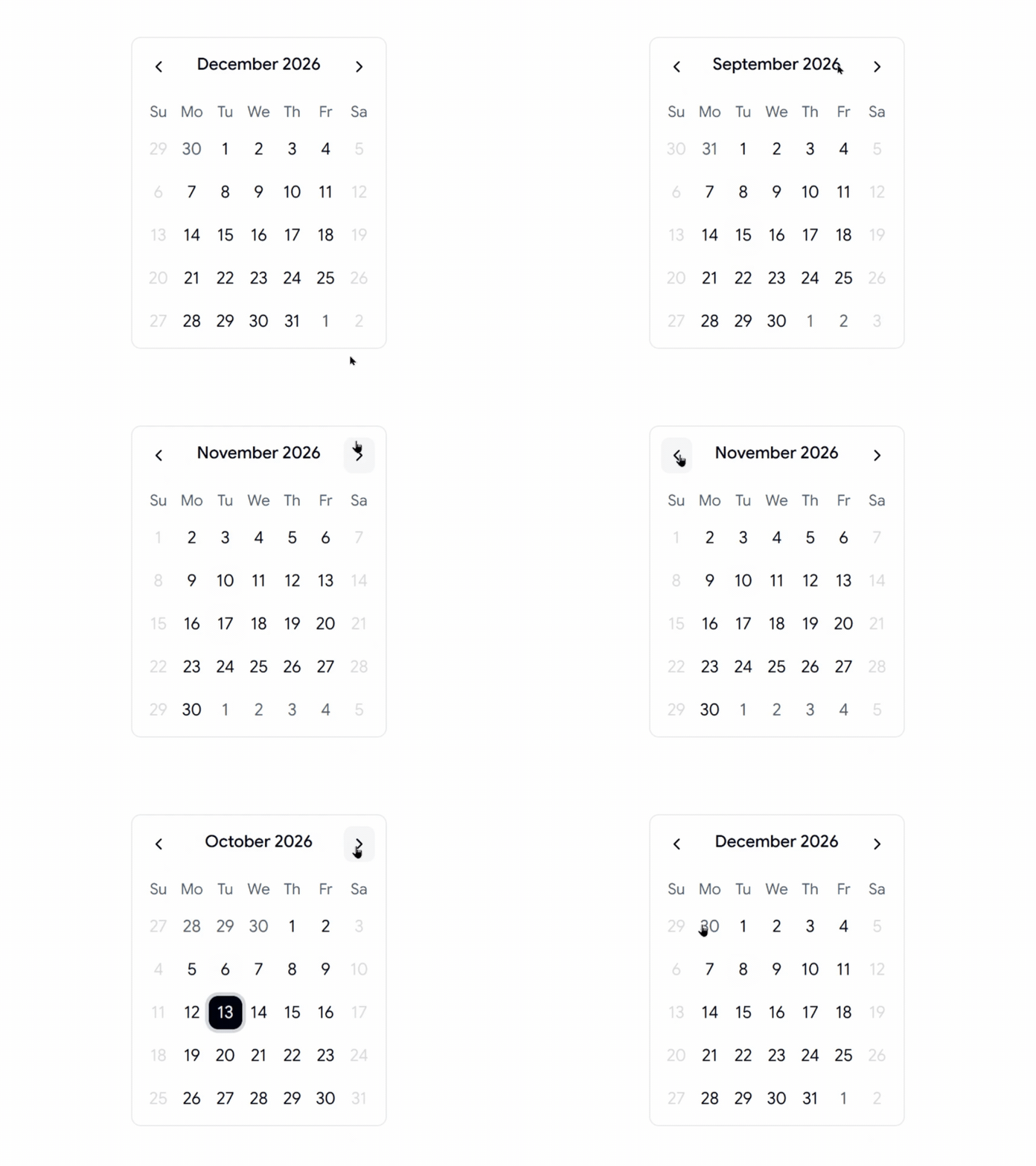
Weekend Disabled Calendar
This variation prevents weekend selection while allowing users to choose only valid business days. It’s especially useful when services are available only during weekdays.
Key Features
- Weekend restrictions
- Disabled date support
- Business-day scheduling
- Validation ready
- Booking optimization
Best for: Office appointments, business services, government portals, enterprise software.
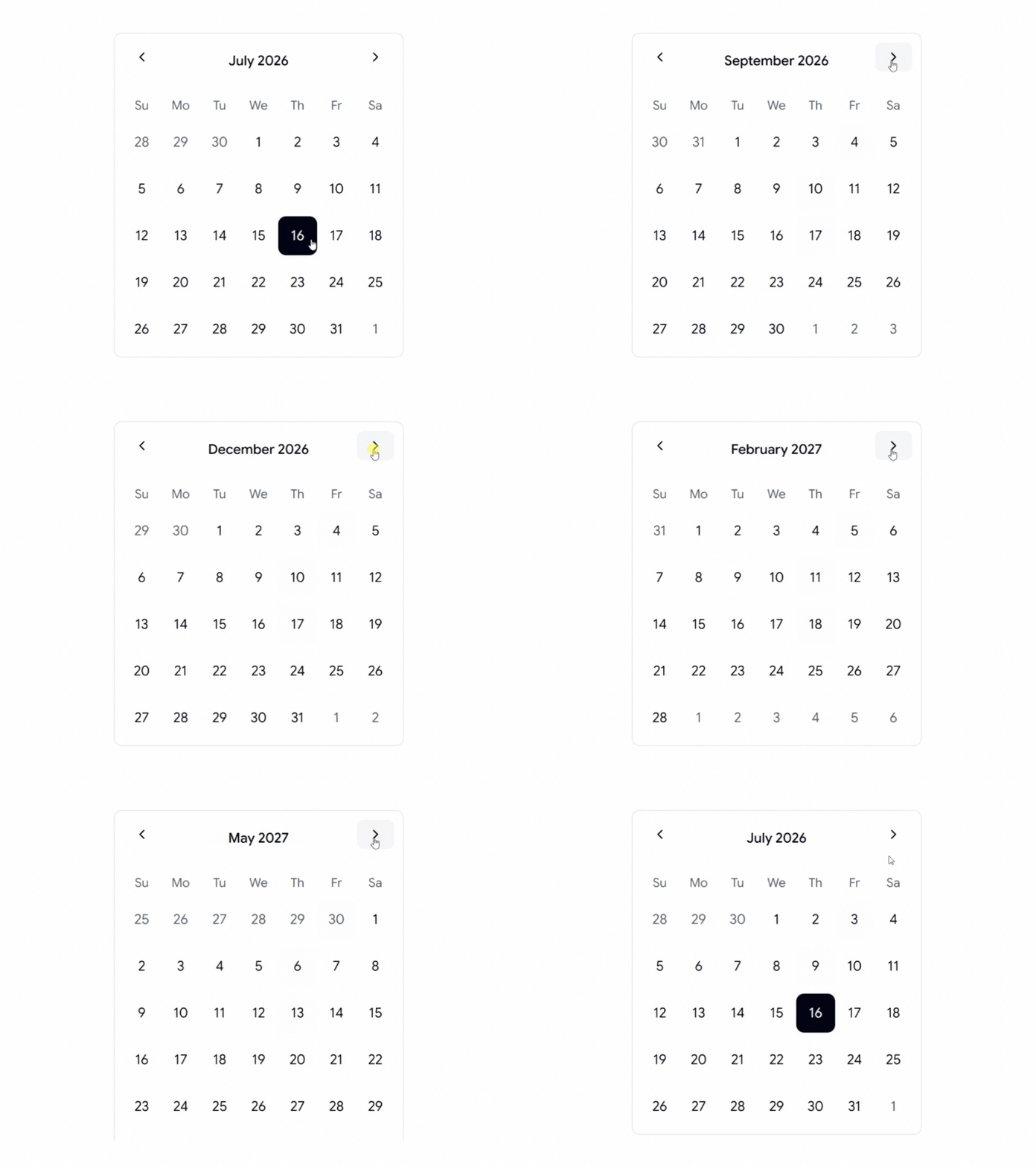
Variable Size Calendar
A flexible calendar component that can be resized for compact widgets or expanded layouts without affecting usability. It adapts well across sidebars, forms, dashboards, and full-page scheduling views.
Key Features
- Adjustable sizing
- Responsive scaling
- Compact and expanded layouts
- Reusable component
- Layout flexibility
Best for: Dashboards, widgets, admin panels, mobile applications.
Calendar With Event List
This calendar pairs monthly navigation with an event list so users can instantly view scheduled meetings, reminders, deadlines, and upcoming activities alongside selected dates.

Key Features
- Event display
- Upcoming schedule list
- Daily agenda support
- Meeting overview
- Interactive calendar
Best for: Team collaboration, project management, internal tools, productivity software.
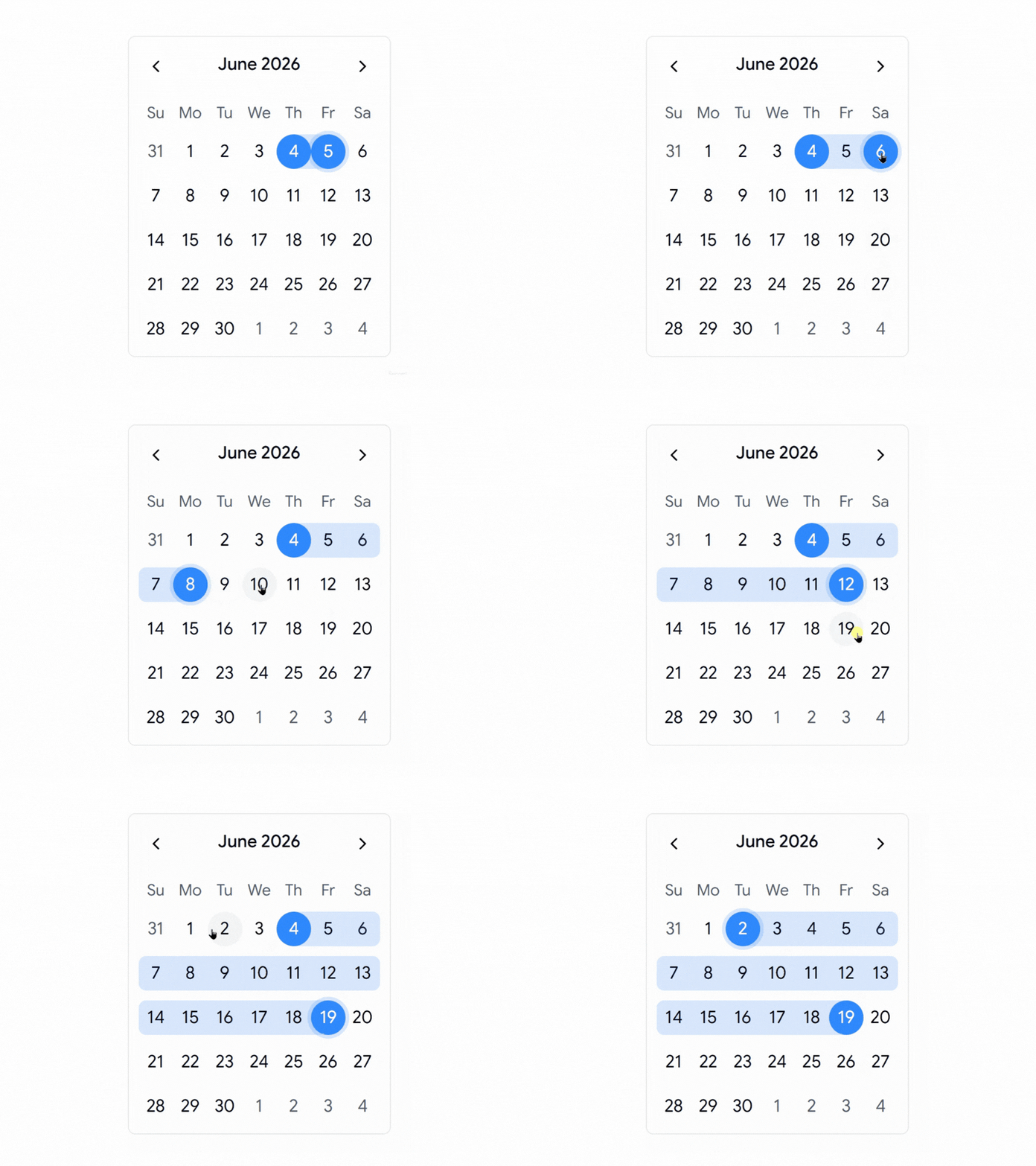
Calendar with Custom Range Selection
Provides advanced date range selection with clear start and end controls. Users can easily select custom periods for reports, travel bookings, subscriptions, or analytics filtering.
Key Features
- Custom date ranges
- Start and end selection
- Visual range highlighting
- Validation support
- Flexible filtering
Best for: Travel websites, analytics dashboards, reporting systems, subscriptions.
Planning to Use These Calendar Components Inside Forms?
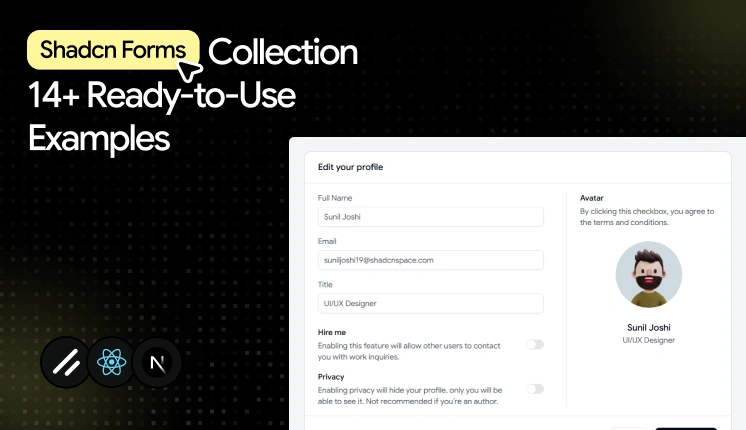
Many scheduling and booking experiences combine calendars with well-designed forms. If you’re building registration pages, appointment booking flows, checkout forms, or user profile settings, don’t miss our 14+ Shadcn UI Forms blog.It features practical form layouts and production-ready examples that integrate seamlessly with Shadcn Calendar components.
With the right combination of “Shadcn UI Blocks & Components” you can build accessible, responsive, and scalable React and Next.js applications much faster
Right Side Navigation Calendar
This layout places month navigation controls on the right side, providing an alternative interaction pattern that works well in dashboard interfaces and custom layouts.
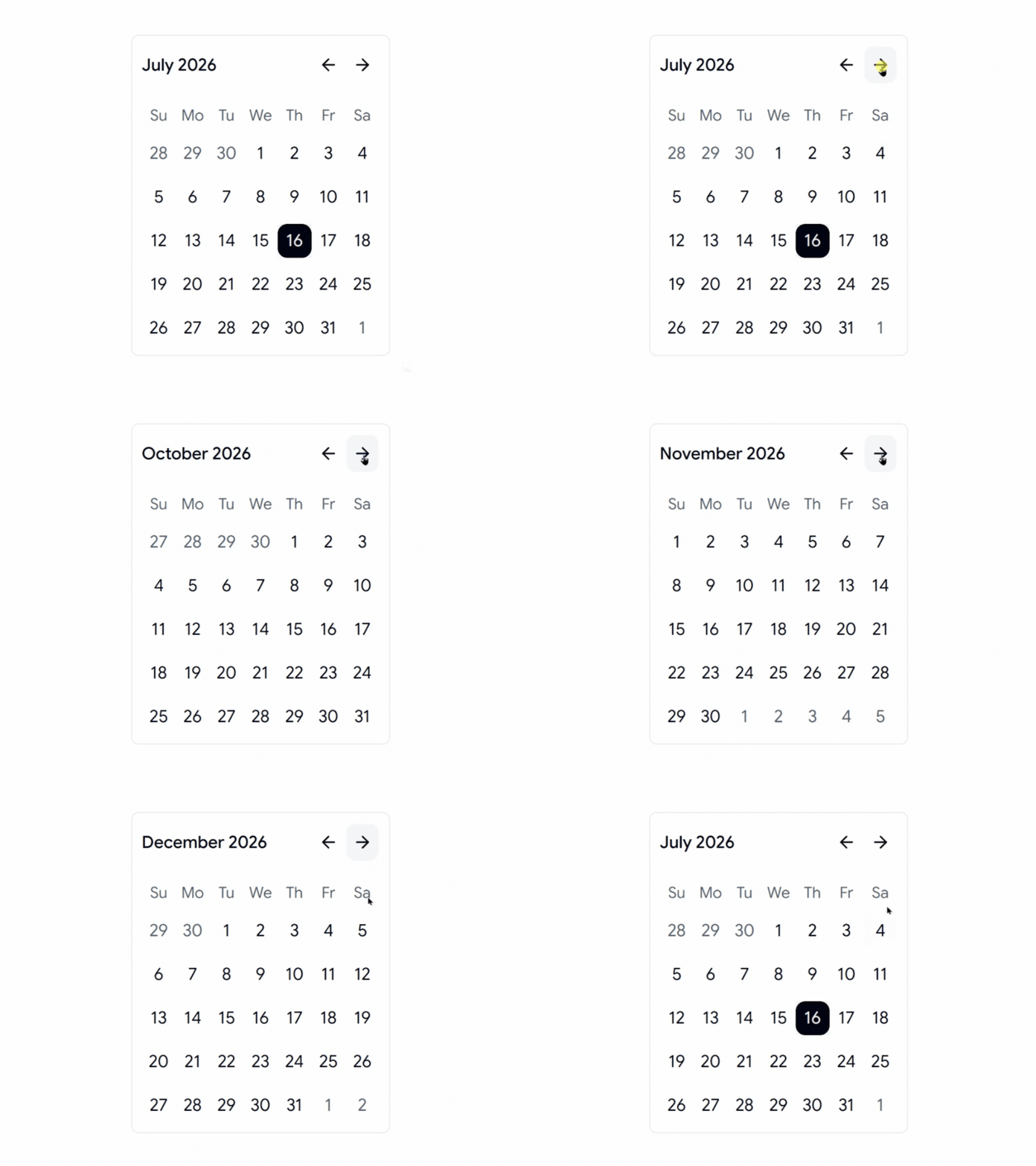
Key Features
- Right-aligned navigation
- Clean controls
- Responsive layout
- Custom navigation
- Accessible interactions
Best for: Admin dashboards, internal tools, enterprise software.
Left Side Navigation Calendar
A variation that positions navigation controls on the left for layouts where navigation follows sidebar-based interfaces. It offers flexibility while maintaining a familiar calendar experience.
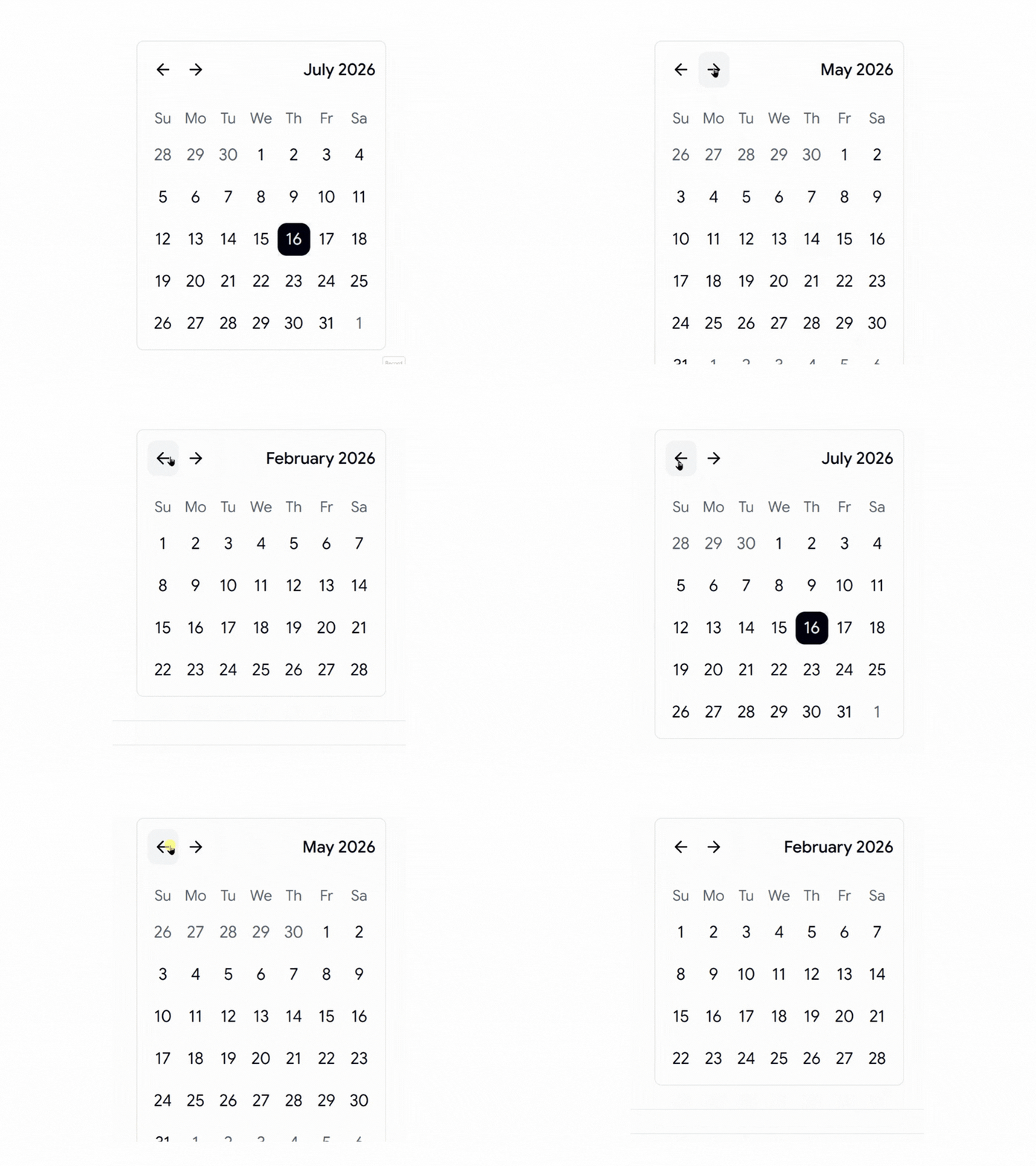
Key Features
- Left-side navigation
- Sidebar-friendly layout
- Responsive controls
- Easy customization
- Keyboard support
Best for: Dashboard layouts, CMS platforms, CRM systems, admin panels.
Calendar With Today Button
Includes a dedicated Today button that instantly returns users to the current date. This small enhancement improves usability for scheduling applications that frequently navigate across months.

Key Features
- Quick Today action
- Current date highlighting
- Faster navigation
- Simple interaction
- Responsive UI
Best for: Scheduling apps, booking platforms, calendar dashboards, planners.
Calendar With Date Input
Combines manual date entry with an interactive calendar, giving users the flexibility to either type a date or select one visually depending on their preference.
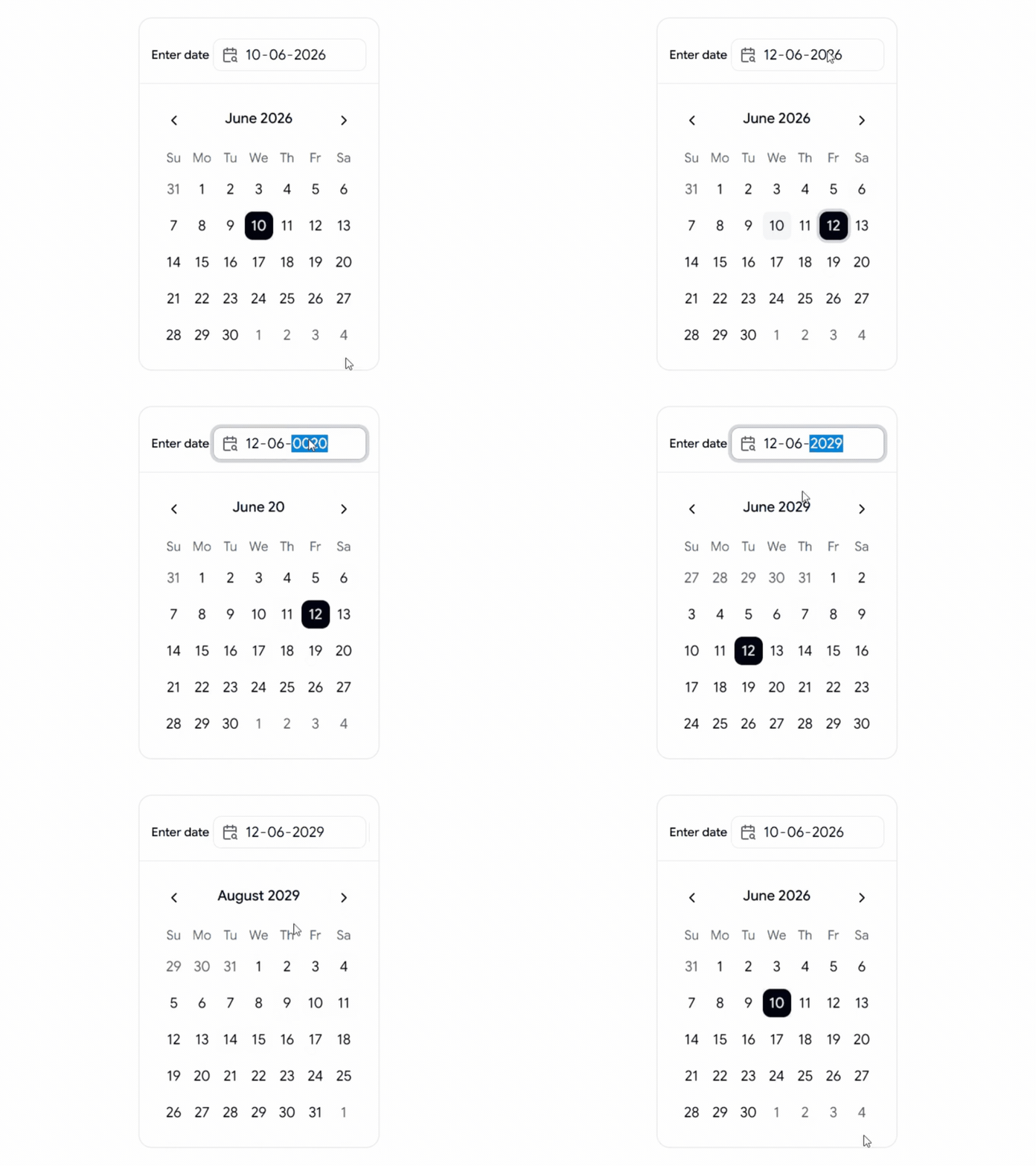
Key Features
- Manual date entry
- Calendar picker
- Input validation
- Form integration
- Accessible interaction
Best for: Registration forms, filters, reports, enterprise applications.
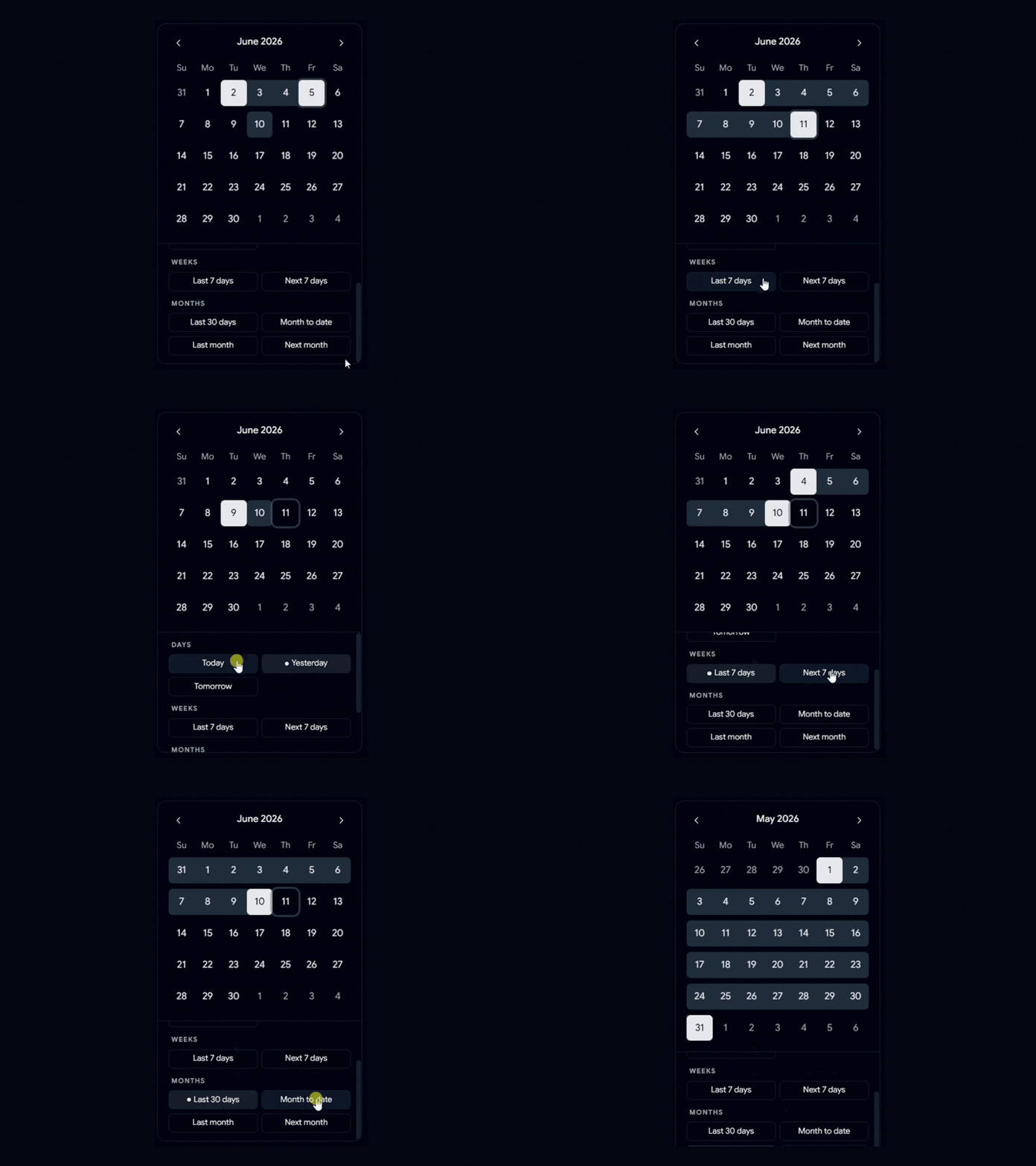
Calendar with Range Selection
Built for selecting continuous date ranges across days, weeks, or months. It offers visual feedback while helping users quickly define reporting periods or booking durations.
Key Features
- Date range picker
- Continuous selection
- Highlighted ranges
- Multiple selection modes
- Easy customization
Best for: Hotel booking, vacation planning, analytics filters, rental systems.
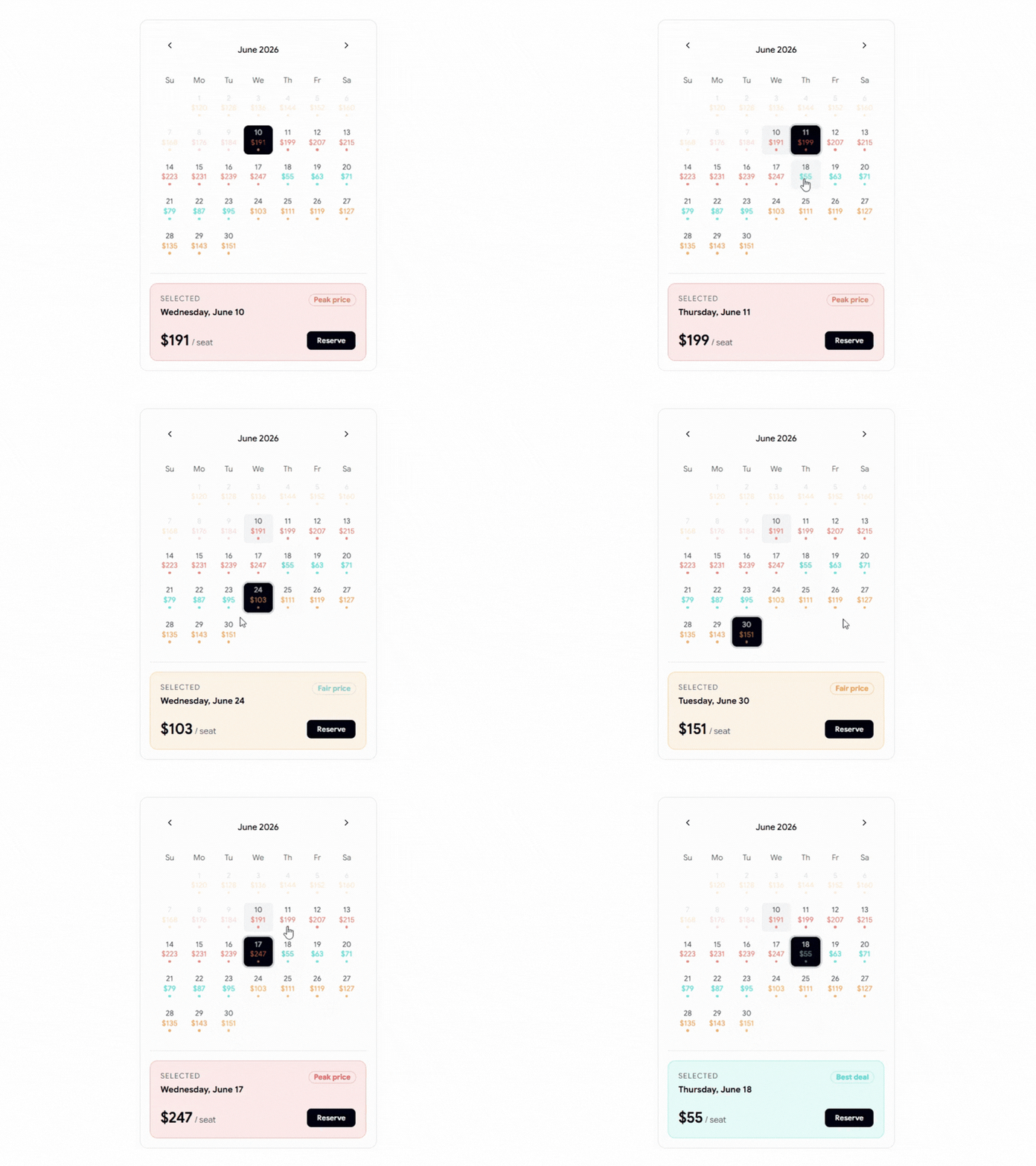
Calendar With Pricing
Displays pricing information directly inside individual dates, allowing users to compare costs before making reservations. This improves transparency and helps users choose the most suitable booking dates.
Key Features
- Daily pricing display
- Flight Booking optimization
- Dynamic price labels
- Reservation workflow
- Date availability
Best for: Hotels, vacation rentals, airlines, ticket booking platforms.
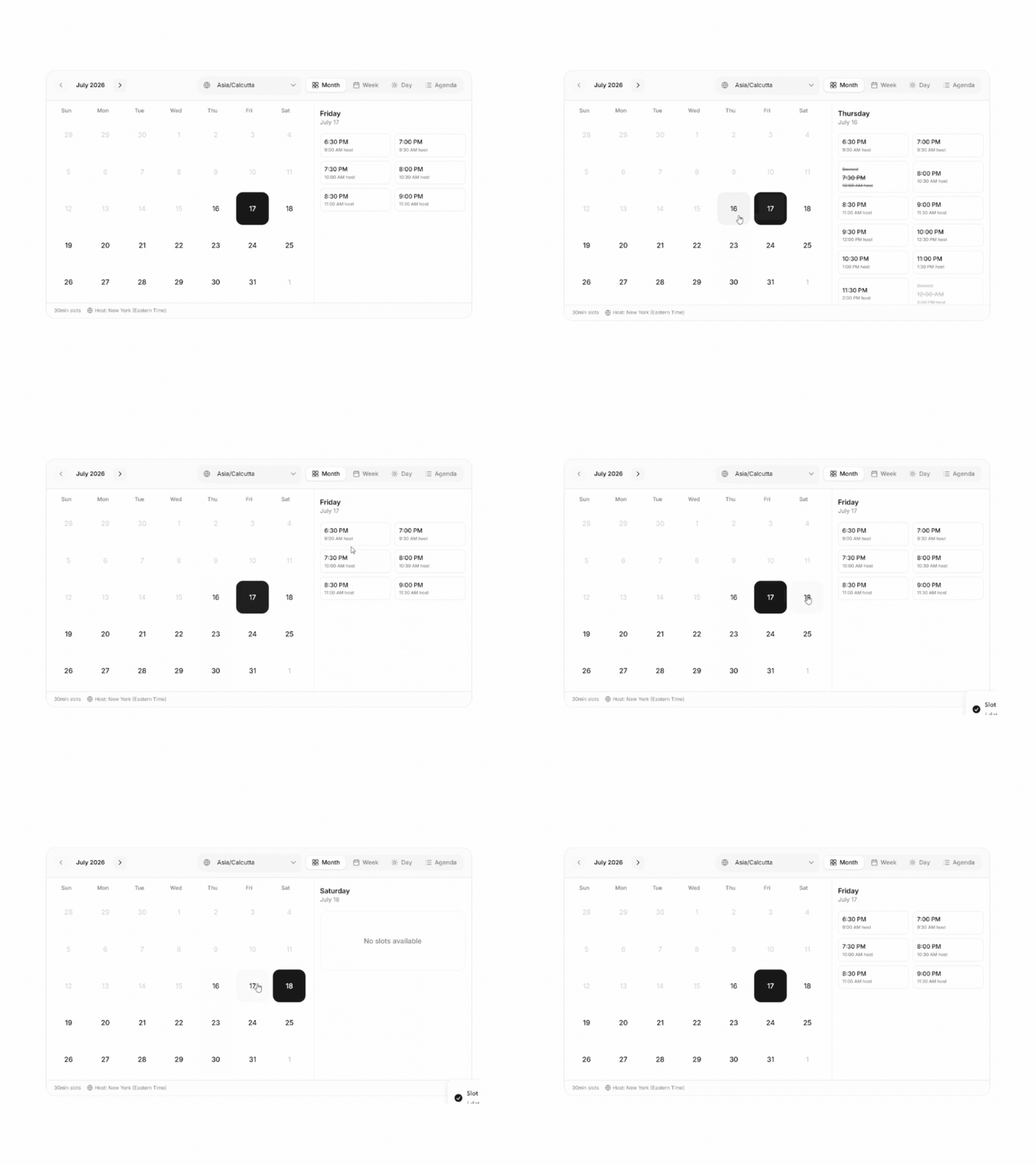
Multi-Purpose Scheduler
An advanced scheduling solution supporting month, week, day, and agenda views with automatic timezone conversion for global teams.
Key Features
- Month, week, day, and agenda views
- Timezone conversion
- Multi-view scheduling
- Enterprise-ready layout
- Event management support
Best for: Enterprise software, team scheduling, international booking systems.
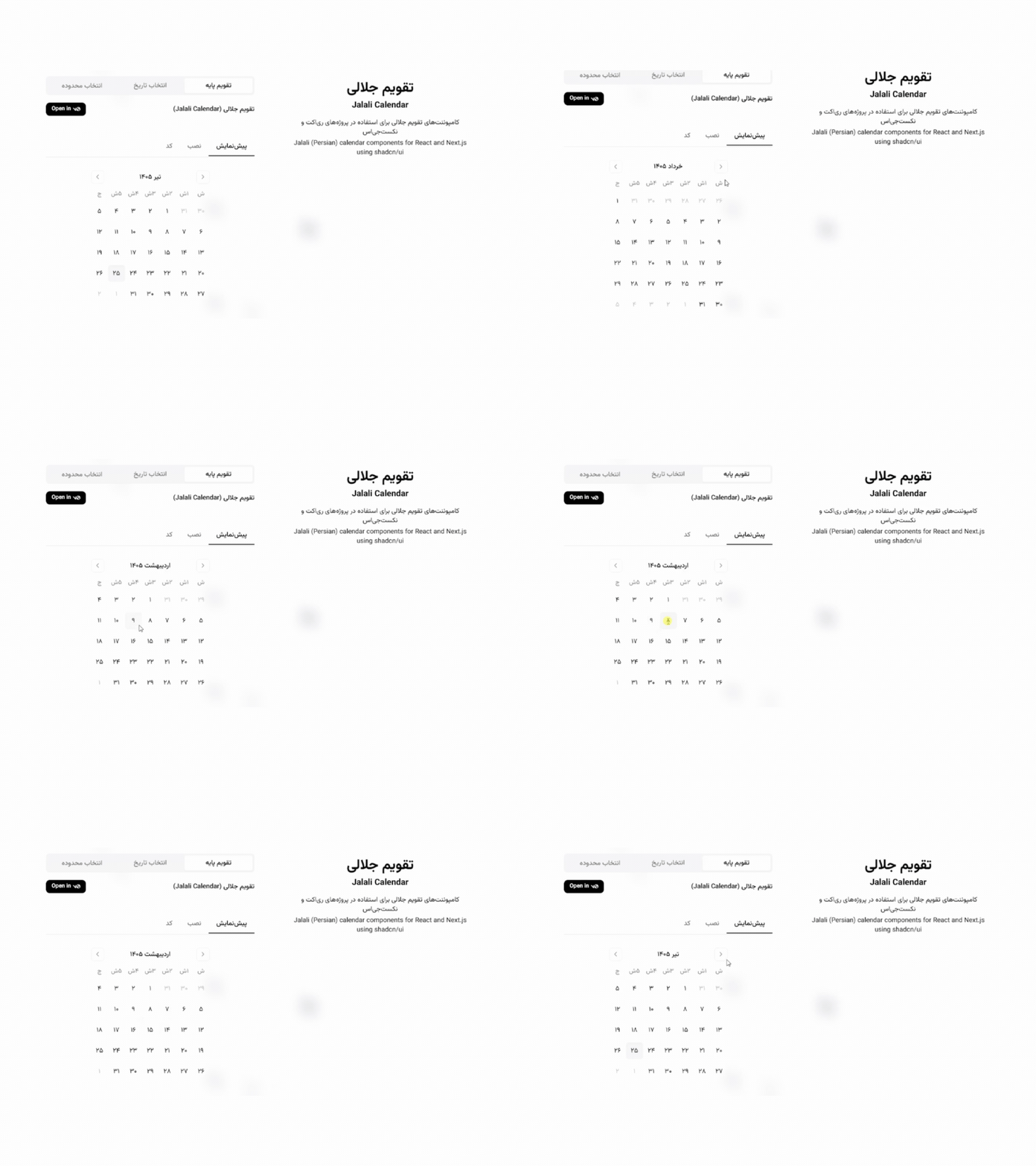
Jalali Calendar Component
Calendar components built for the Persian (Jalali) calendar system with compatibility for the Shadcn CLI and modern React applications.
Key Features
- Jalali calendar support
- Built on react-day-picker
- Compatible with Shadcn CLI
- Next.js integration
- Registry-based installation
Best for: Persian-language applications, regional booking platforms, localized business software.
Date Range & Single Date Selection Calendar
This calendar component supports both single-date selection and custom date ranges within a single interface. Built with React Day Picker, Shadcn UI, and date-fns, it provides a clean developer experience for creating booking systems, travel forms, scheduling applications, and analytics filters.
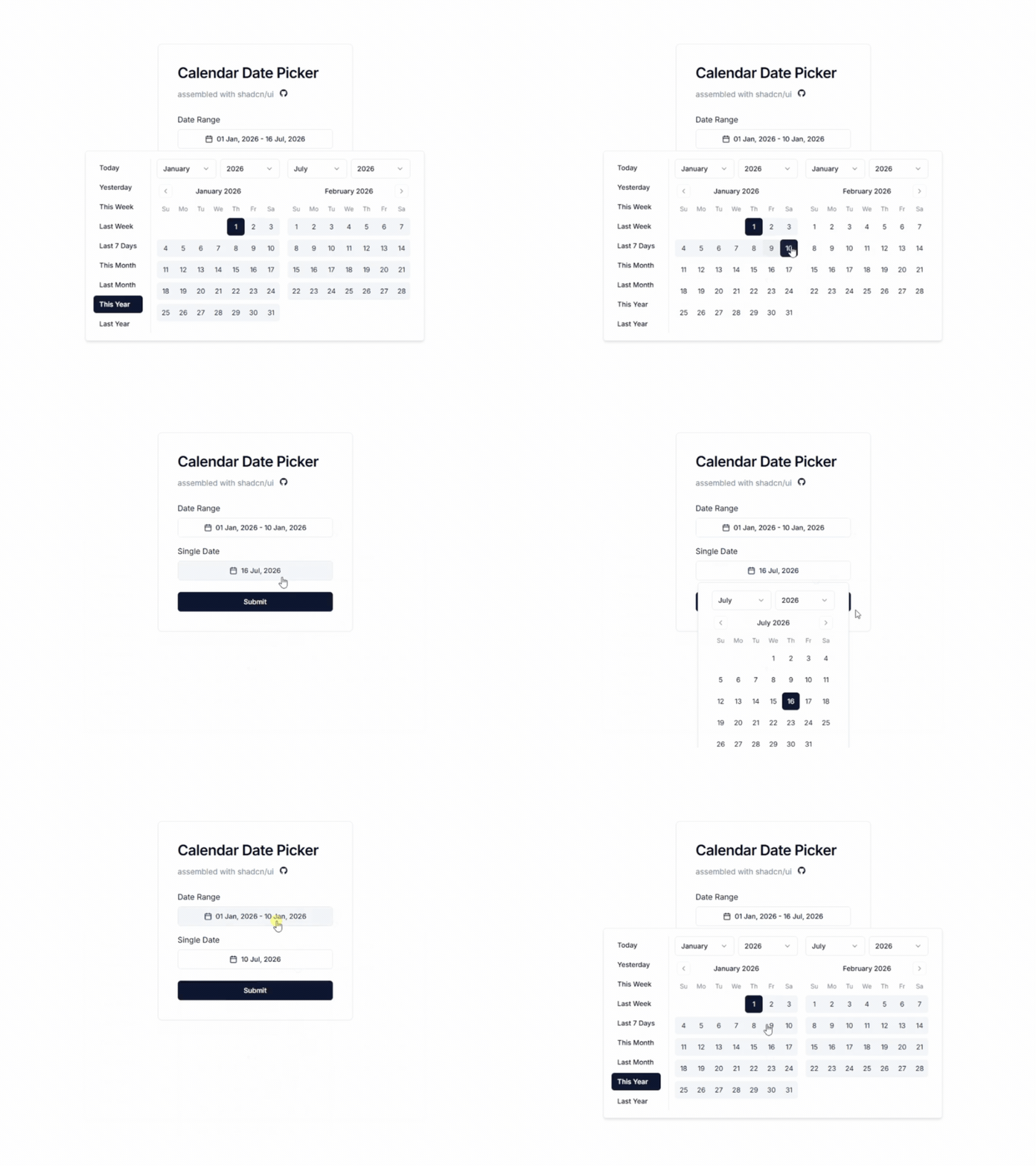
Key Features
- Single date and date range selection
- Built with React Day Picker
- Popover-based date picker interface
- Month and year navigation
- Easy integration with Next.js and Shadcn UI
Best for: Booking platforms, hotel reservations, travel applications, analytics dashboards, forms, and scheduling systems.
Looking for more than a calendar component ?
Here are fully functional calendar applications that include event management, scheduling, dashboards, authentication, and other production-ready features to help you build complete web applications faster.
Modernize Calendar
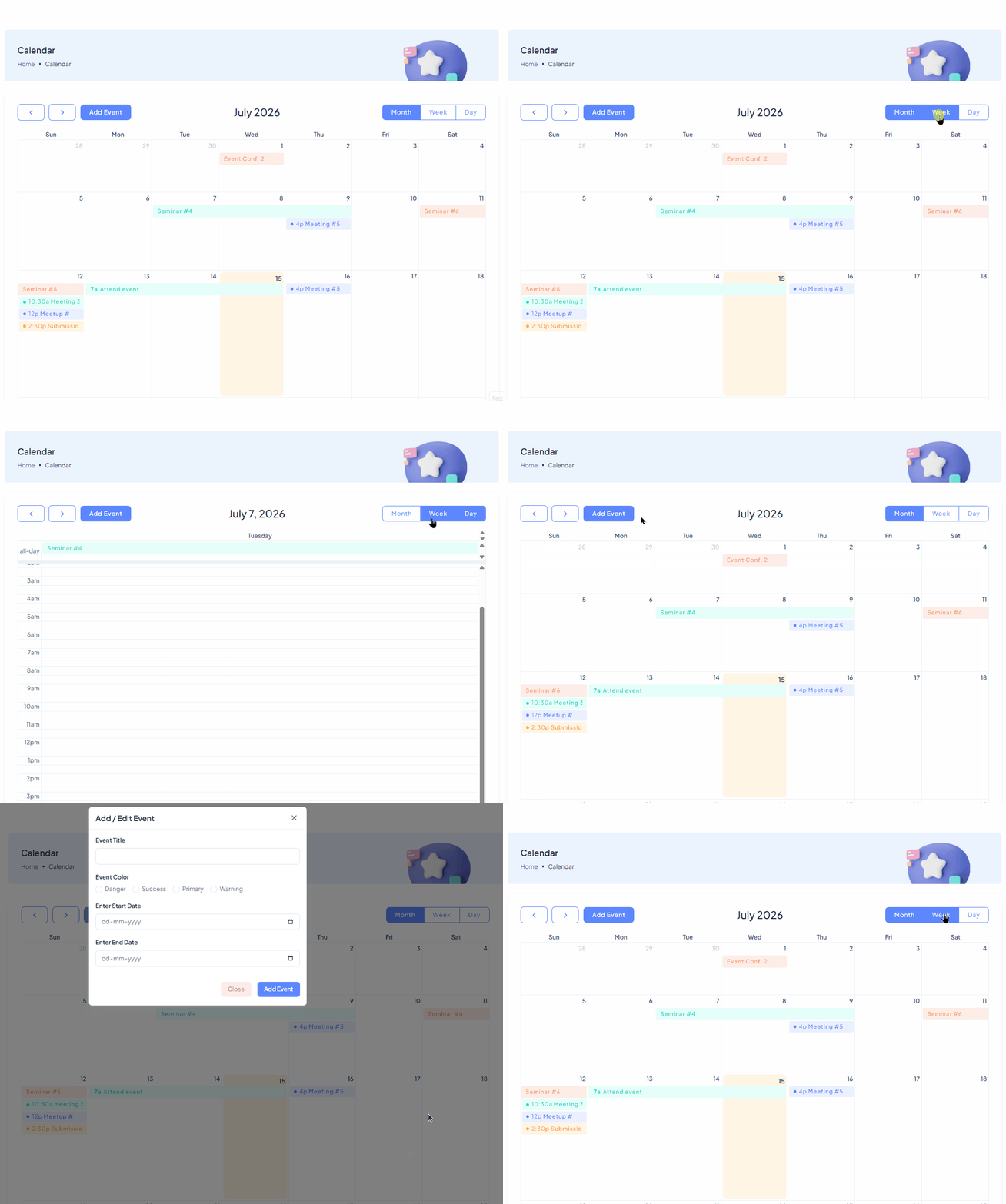
Modernize includes a fully featured calendar application together with dashboards, authentication, AI-powered development tools, Kanban boards, invoices, blogs, and eCommerce pages. Built using Next.js, Tailwind CSS, and Shadcn UI, it gives developers a complete foundation for building scalable SaaS, CRM, analytics, and enterprise applications.
Key Features
- Interactive calendar with FullCalendar integration
- Event scheduling and calendar management
- AI Prompt Library with 15+ ready-to-use prompts
- 90+ production-ready page templates
- 13+ built-in applications including Calendar, Kanban, Chat, Email, Invoice, Blog, and eCommerce
- Authentication with NextAuth and Firebase
- ApexCharts integration for interactive dashboards
- Internationalization (react-i18next) support
- SWR for efficient data fetching and caching
Best for: AI-powered admin panels, SaaS products, team collaboration, project management.
MaterialM Calendar
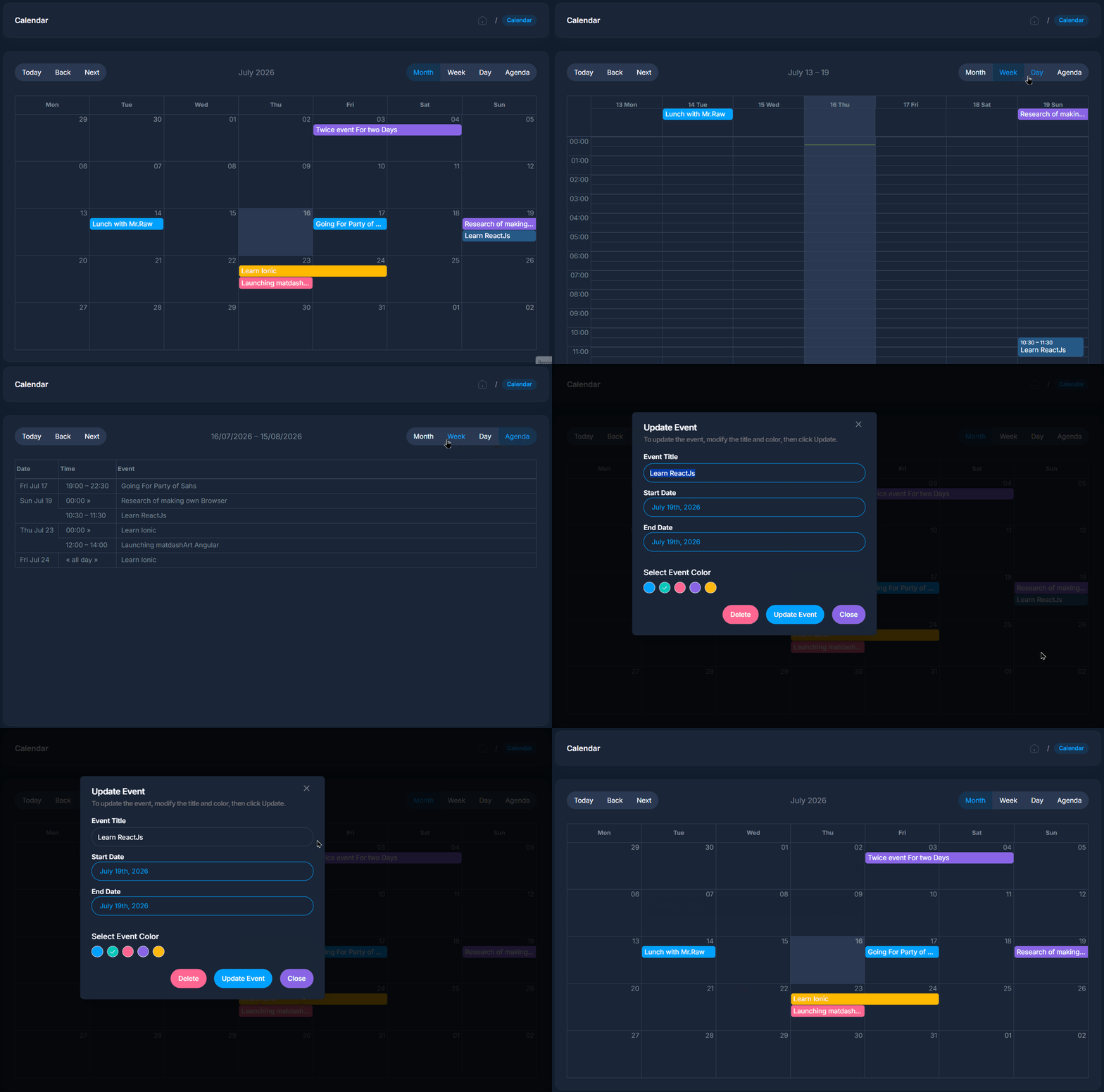
MaterialM is a production-ready React admin dashboard template that includes a fully functional calendar application alongside everything you need to build modern web applications. Beyond calendar scheduling, it comes with a comprehensive collection of reusable pages, UI components, authentication flows, dashboards, and application templates, making it an excellent starting point for SaaS products, CRM systems, project management tools, analytics dashboards, and enterprise applications.
Key Features
- Month-based calendar view
- Event scheduling and management
- Dashboard-ready layout
- Framework-native Shadcn UI integration
- 100+ reusable UI components
- Interactive charts and data visualization support
- Pre-built Landing pages
- Ready-made Kanban, Invoice, User Profile, and dashboard pages
- Form validation, tables, badges, modals, and icons included
Best for: Internal scheduling tools, Business dashboards, CRM applications, project management tools, analytics platforms, internal business tools, and enterprise SaaS applications.
Which Shadcn Calendar Should You Choose ?
The right calendar depends on your project requirements.
- Choose Standard Calendar for general date selection.
- Use Time Calendar for appointment booking.
- Pick Range Selection for travel, reports, and analytics.
- Choose With Pricing for booking platforms.
- Use With Event List for productivity applications.
- Pick Dialog Calendar for forms and checkout flows.
- Choose Month and Year Select for long-term date navigation.
- Use a Multi-Purpose Scheduler for enterprise scheduling.
- Choose Jalali Calendar for Persian calendar support.
- If you need more than a standalone calendar component, consider using Modernize or MaterialM Calendar.
Wrap Up with WrapPixel
Calendar is one of the most frequently used interactive components in modern web applications. The right implementation can simplify booking, scheduling, event management, and date selection while improving the overall user experience.
This collection of 20+ Shadcn Calendar examples includes everything from lightweight date pickers to advanced scheduling systems with event management, timezone support, pricing displays, and range selection. Whether you’re building a SaaS dashboard, booking platform, healthcare application, travel website, or enterprise scheduler, these examples provide a solid starting point that you can copy, customize, and integrate into your React and Next.js projects.
Looking for more production-ready UI components ?
Explore our growing collection of shadcn blogs, examples, and curated component roundups built with React, Next.js, Tailwind CSS, and Base UI.
- 11+ Best Shadcn Carousel Components
- 16+ Shadcn Combobox Examples
- 22+ Production-Ready Shadcn Card Components
- 23+ Best Shadcn Input Components
- 15+ Shadcn Checkbox Components
- 7+ Production-Ready Shadcn Sheet Components
Whether you’re building “admin dashboards” SaaS products, booking platforms, or modern web applications, these guides will help you discover reusable Shadcn UI components that speed up development and improve the user experience.