
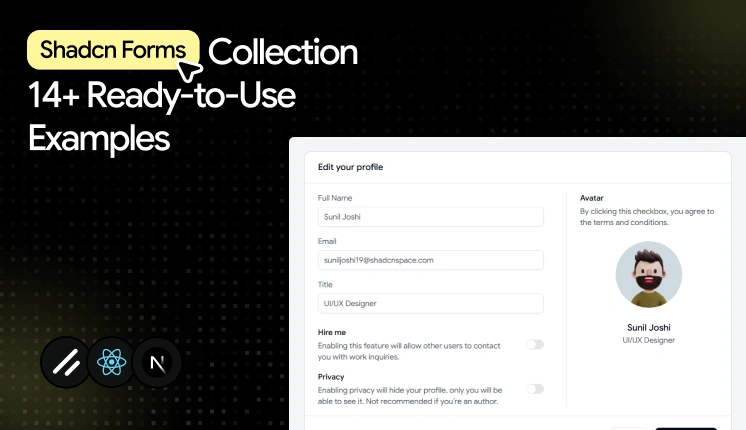
Forms are one of the most important components of every web project.
Whether users are updating profiles, managing subscriptions, onboarding team members, completing checkouts, or submitting applications, forms are one of the most important components in any modern web application.
You suddenly need validation states, keyboard navigation, error announcements, multi-step flows, dynamic field arrays, and consistent spacing inside nested dashboard layouts
Most form examples online handle none of this well.
This is where Shadcn UI forms stand out.
A good form does more than collect information. It helps users complete tasks quickly, reduces errors, supports keyboard navigation, and creates a better experience across devices.
Combined with tools like React Hook Form or TanStack Form, developers can build accessible, scalable, and easy-to-maintain form experiences for modern applications.
In this collection, we’ll explore some of the Best Shadcn form examples, form layouts, and form components that work particularly well for admin dashboards, SaaS platforms, internal tools, and business applications.
Why Use React Hook Form or TanStack Form with Shadcn UI?
Before selecting a Shadcn form template, it’s important to choose the right form management tool.
By combining Shadcn UI with React Hook Form or TanStack Form, developers can build accessible, scalable, and production-ready form systems that fit modern admin dashboards.
React Hook Form is one of the most popular choices for building forms in React applications.
Key benefits:
- Minimal re-renders because it relies on uncontrolled inputs.
- Native Zod integration through “zodResolver” for schema validation.
- Strong TypeScript inference across fields and form values.
- Large community, so most edge cases already have answers.
TanStack Form is designed for complex applications that need powerful state management.
Key benefits:
- Field-level validation that runs independently per input.
- Flexible state handling for deeply nested or conditional forms.
- Framework-agnostic core that scales across large applications.
Both libraries integrate well with Shadcn UI form components and help create accessible user experiences.
Let’s explore the best shadcn forms
Every Shadcn UI form below was evaluated on accessibility support, validation handling, and how well it holds up inside admin dashboards, SaaS platforms, internal tools, and business applications.
Below are 14+ Shadcn form templates and examples worth keeping in your shadcn resources.
Multipurpose input form
This is more than a basic input form. Along with standard fields like email and phone number, it includes commonly used form components such as file upload, checkbox, radio buttons, and toggle switches, making it a complete starting point for many dashboard workflows.
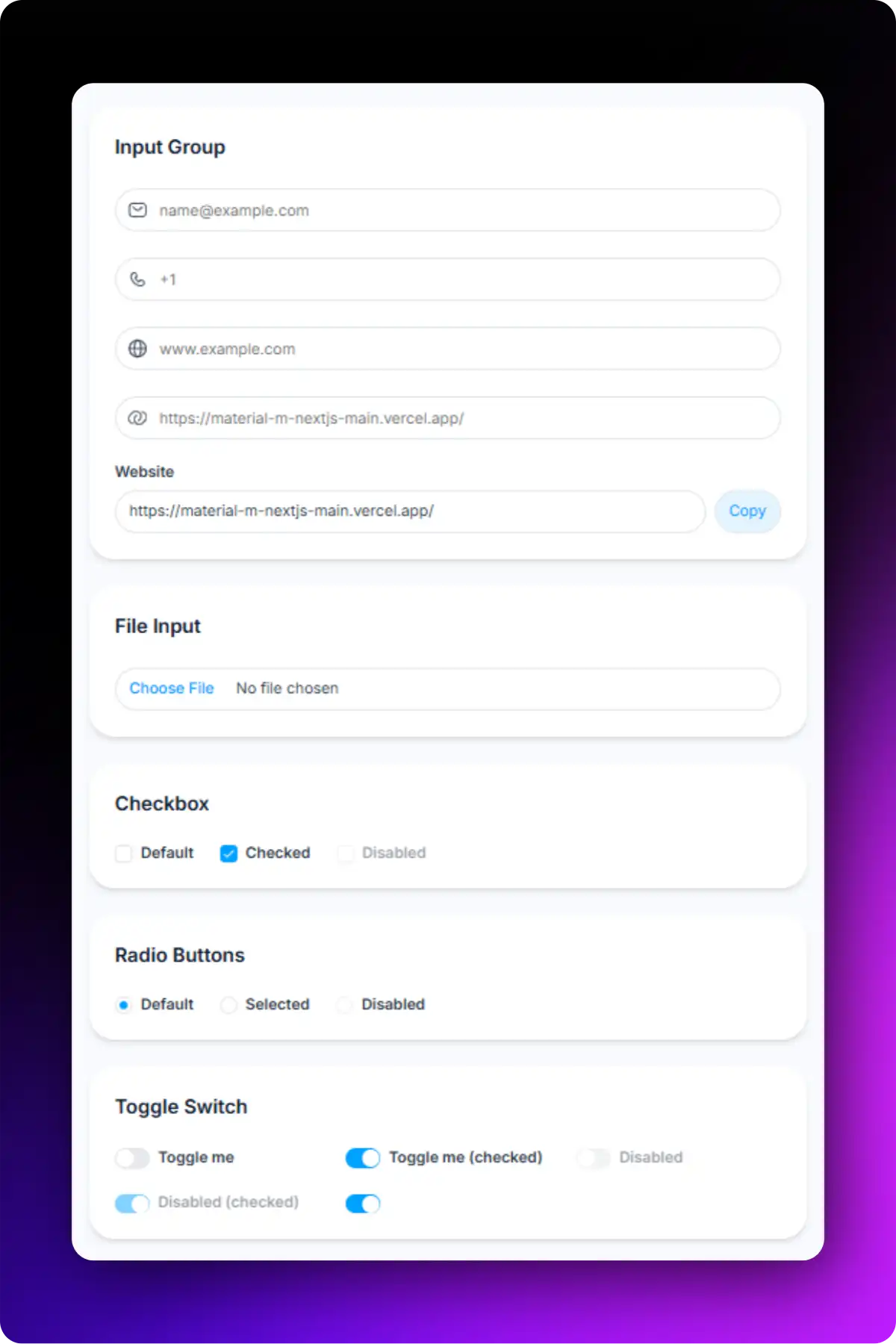
Accessibility highlights:
- Each input connects to its own FormLabel and FormControl for screen readers.
- Validation errors are rendered through FormMessage and are announced appropriately.
- Keyboard tab order follows the visual field sequence.
- Interactive components such as checkboxes, radio buttons, and switches are fully keyboard accessible.
- File upload fields include proper labeling for improved usability.
Best for: Registration forms, contact forms, account creation, and customer information collection.
Text area input form
This Shadcn form example uses one text area with clear validation states. This simple form pattern appears frequently in customer support systems, community platforms, and feedback modules.
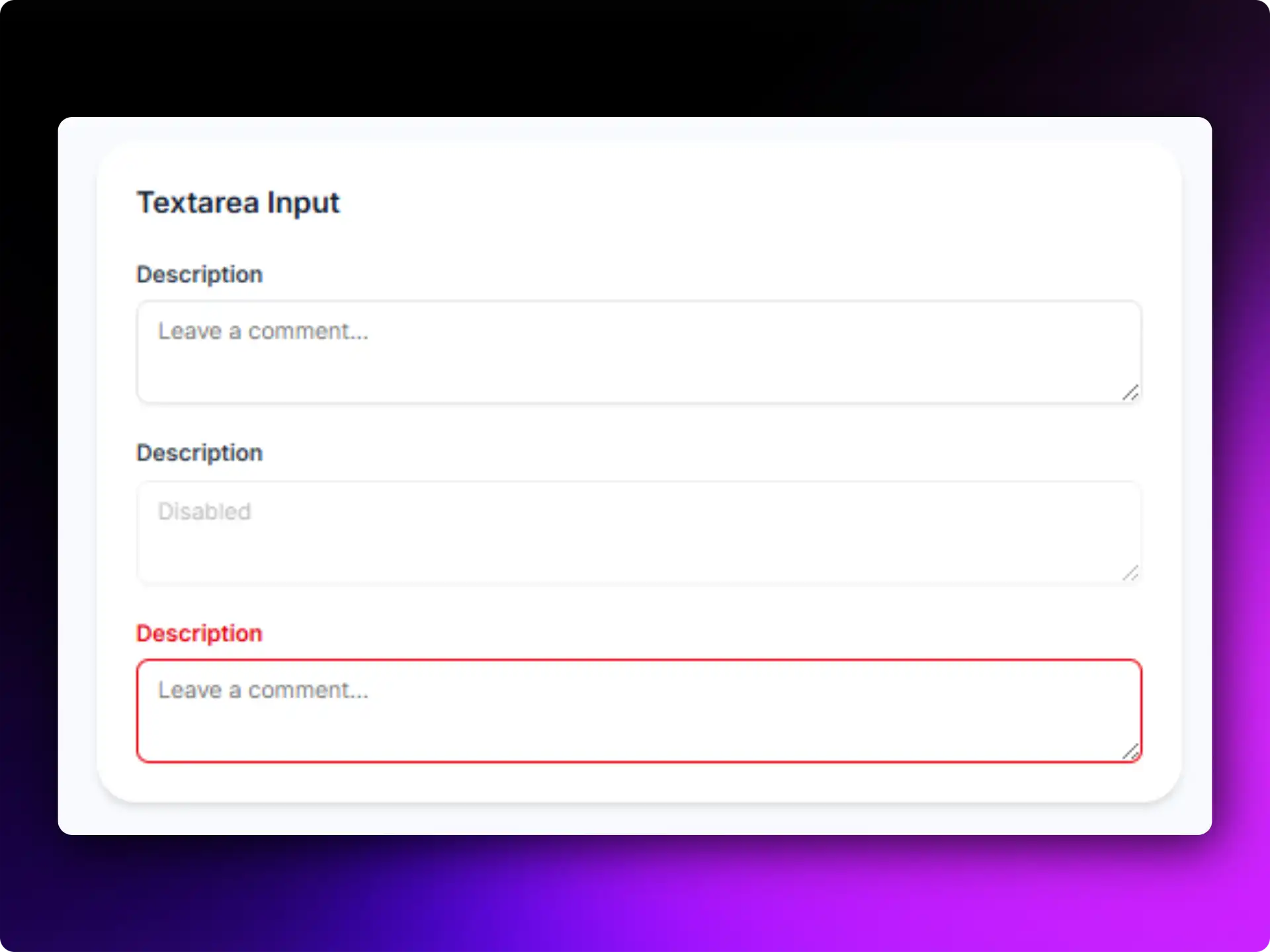
Accessibility highlights:
- Large typing area
- Clear placeholder guidance
- Screen-reader friendly labels
- Responsive form design
Best for: Comments, support tickets, reviews, and feedback collection.
Form with checkbox
All these Checkbox forms help users confirm actions before submission. They are frequently used during registrations, checkout flows, and account setup processes. This Shadcn form component pairs a multi types of checkbox with a submit button and handles both.
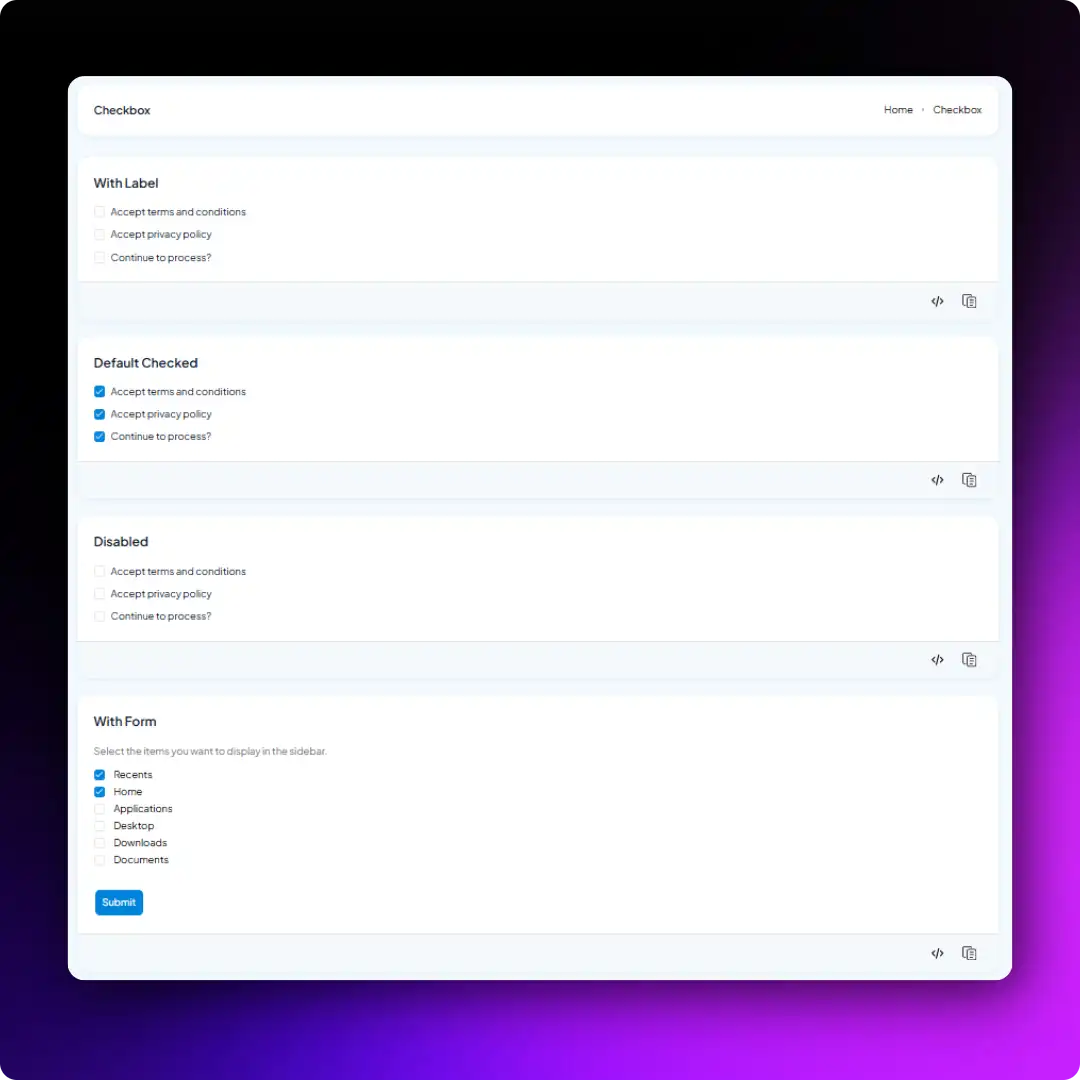
These forms fit any flow where a user must confirm something before proceeding.
Accessibility highlights:
- Proper label association
- Large click targets
- Keyboard accessible interactions
- Clear checked and unchecked states
Best for: Terms acceptance, newsletter subscriptions, permissions, and preference management.
Basic input form with colour elements
This Shadcn form component combines standard input fields with a color input & textarea. It helps users select and manage color values while keeping the form simple and easy to use.
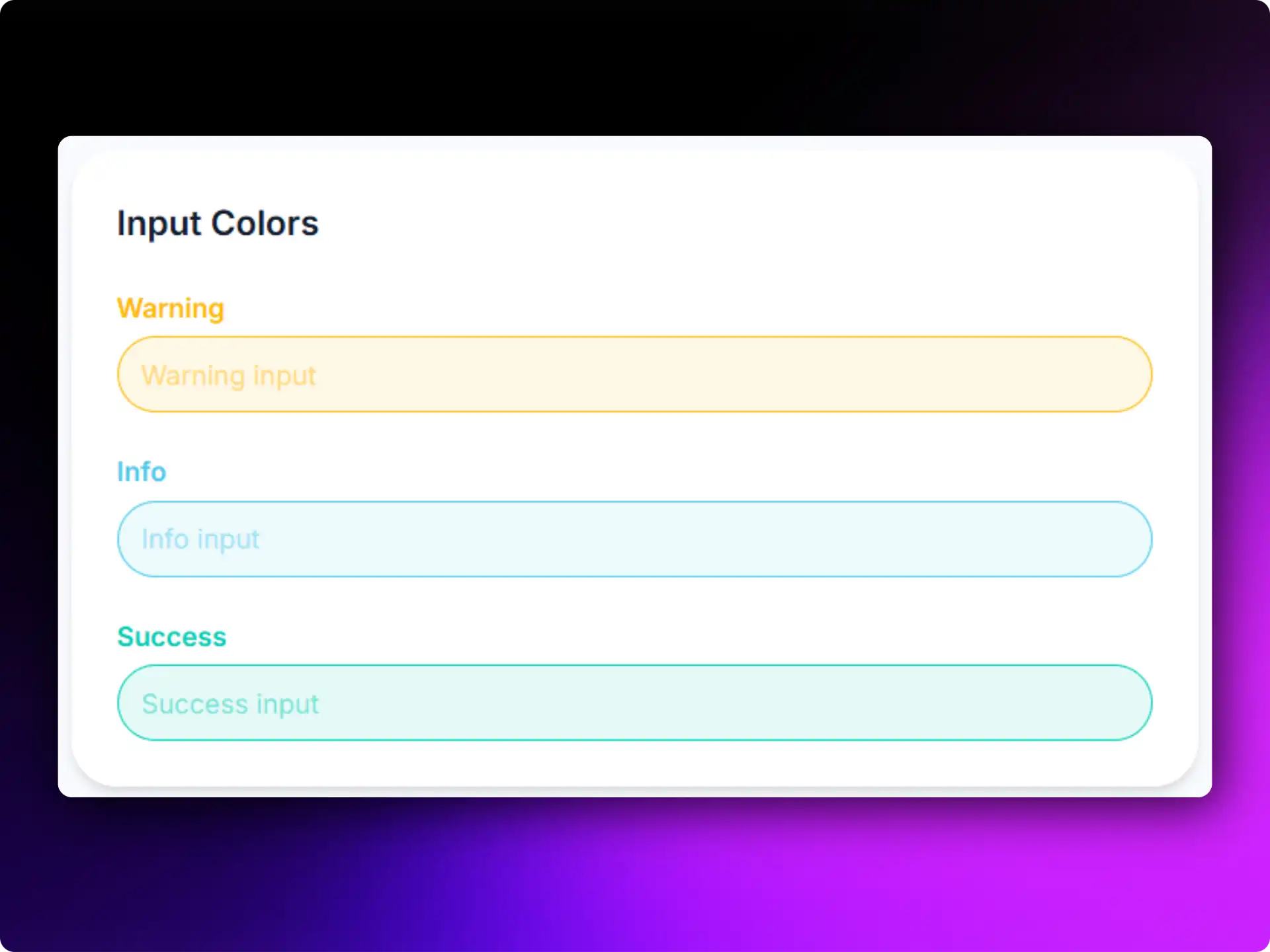
Accessibility highlights:
- Visible color preview
- Keyboard-accessible controls
- Clear color selection feedback
- Simple and easy-to-use interface
Best for: Branding settings, theme customization, product configuration, and design tools.
Edit profile form
Profile editing may look like a simple form, but it often includes avatar uploads, privacy settings, and account preferences in one place. This Shadcn form template brings all these fields together in a clean layout.
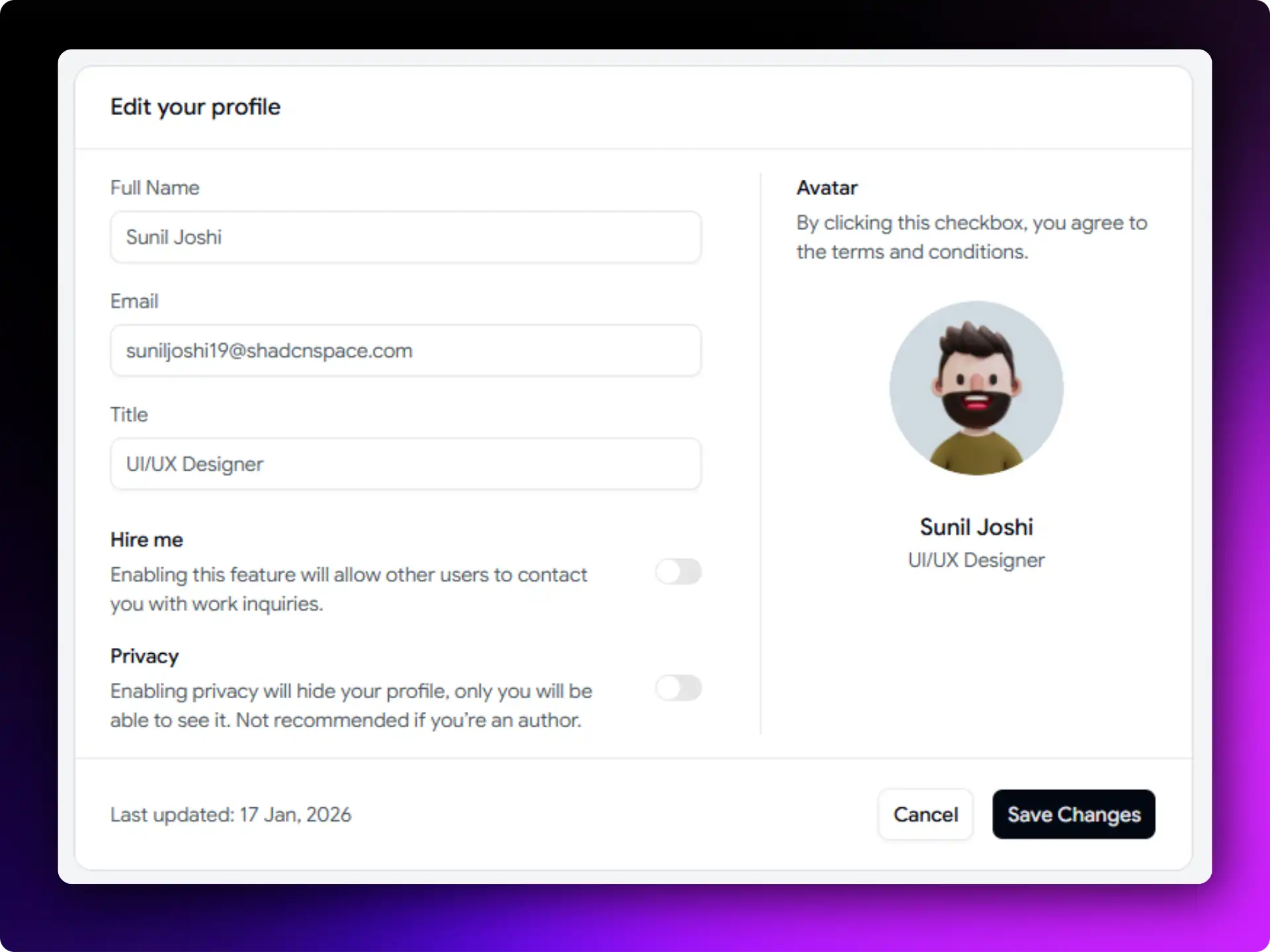
It works well for the admin panel where users need to manage their account information without moving between multiple screens.
Accessibility highlights:
- Avatar upload, personal details, and privacy settings in one form
- Toggle switches clearly show enabled and disabled states
- Save and Cancel buttons are easy to find and use
- Logical field grouping for better navigation
- Keyboard-friendly interactions
Best for: Account management and user settings in SaaS dashboards.
User profile form
This Shadcn form layout organizes related fields into separate steps, making the form easier to navigate and fill in the details. Managing personal, workspace, and network information in a single form can become difficult when everything is placed on one screen.
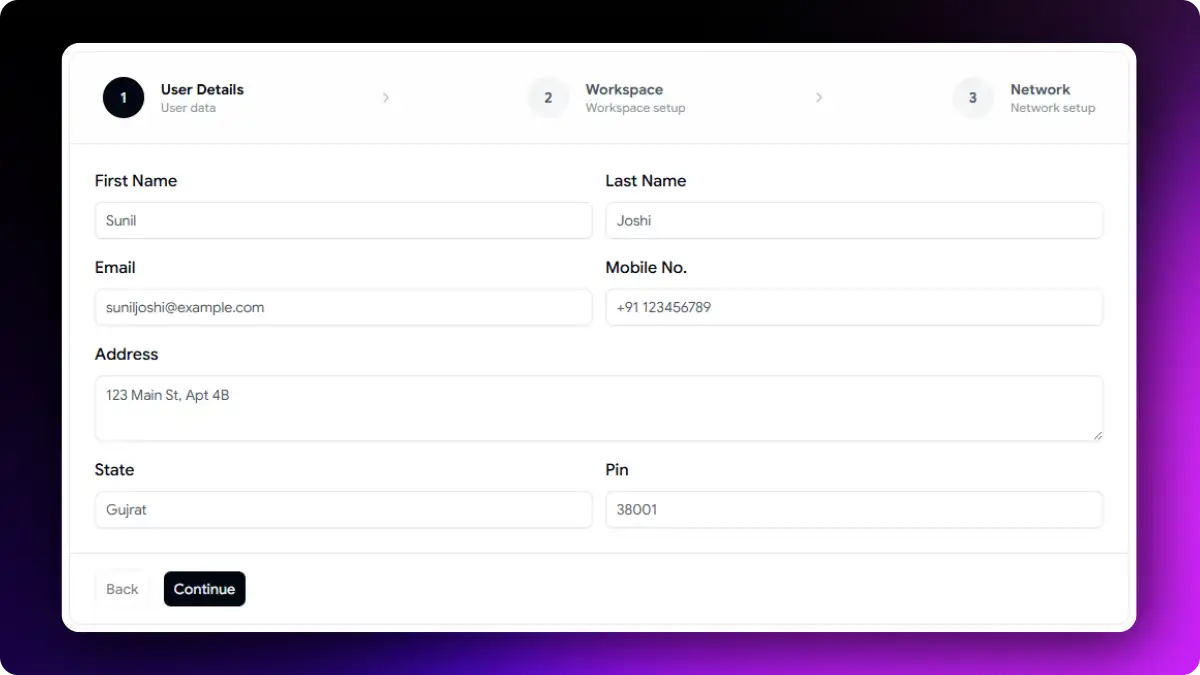
It helps users update account information in a structured way while keeping different types of data clearly separated.
Accessibility highlights:
- Personal, workspace, and network details grouped into separate sections
- Clear labels and validation for each field
- Logical keyboard navigation through the form
- Consistent input styling for better readability
- Easy-to-scan layout that reduces form complexity
Best for: Employee portals, workspace management platforms, and professional networking applications.
Onboarding form with progress bar
Onboarding forms can quickly feel overwhelming when too much information is requested at once.
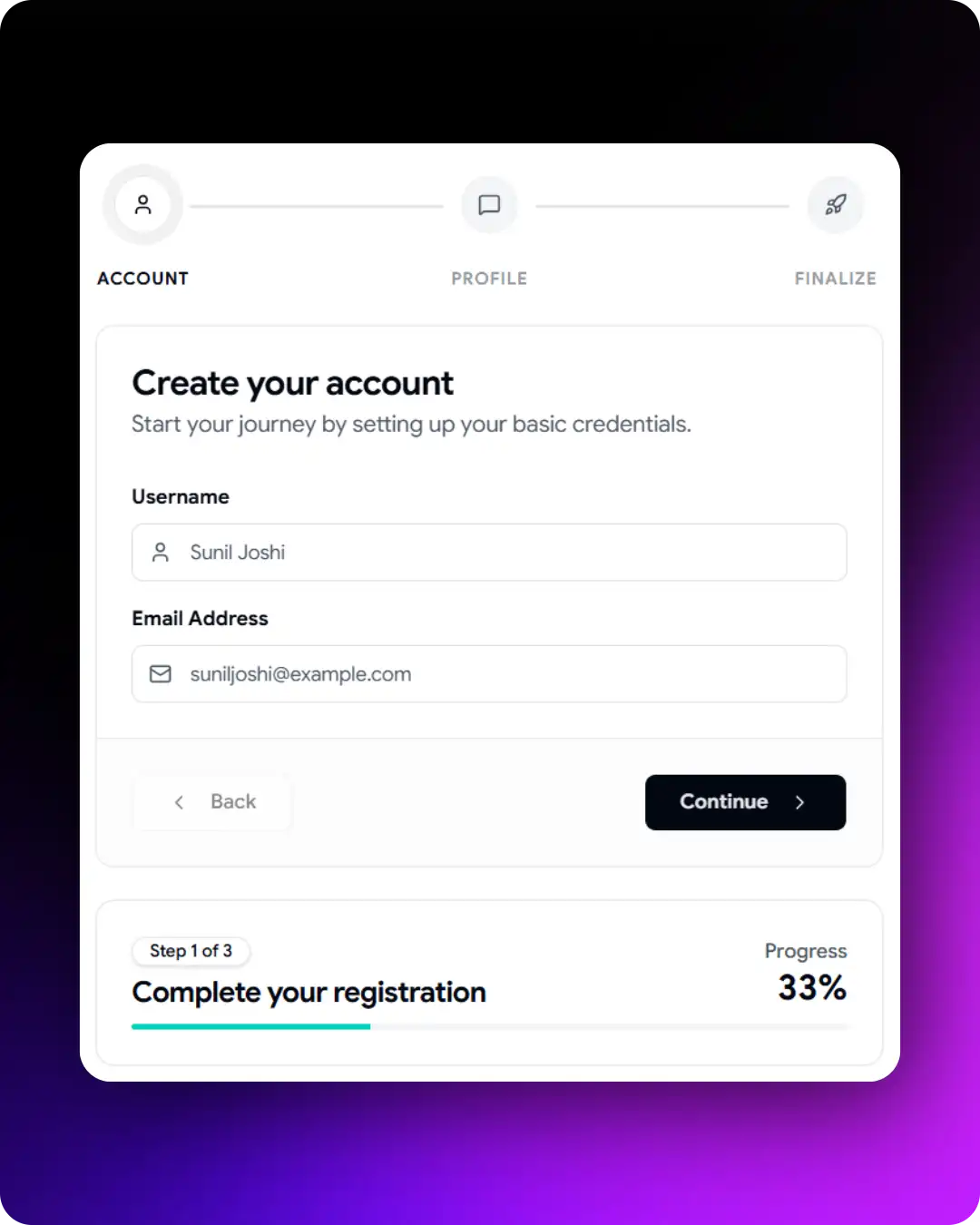
This Shadcn form example uses a multi-step layout with progress indicators, making it easier for users to complete the process one step at a time. It works well for products that need to collect user information gradually during onboarding and account setup.
Accessibility highlights:
- Progress indicator shows the current step and total steps
- Step-by-step navigation makes the process easier to follow
- Back and Continue buttons provide predictable navigation
- Entered data remains available when moving between steps
- Smaller sections help users focus on one task at a time
Best for: SaaS onboarding, customer activation, and account setup workflows.
Build forms faster with Shadcn form builder
Ready-made Shadcn forms are a great starting point, but not every project fits predefined fields. Sometimes you need a form designed for your workflow or business requirements.
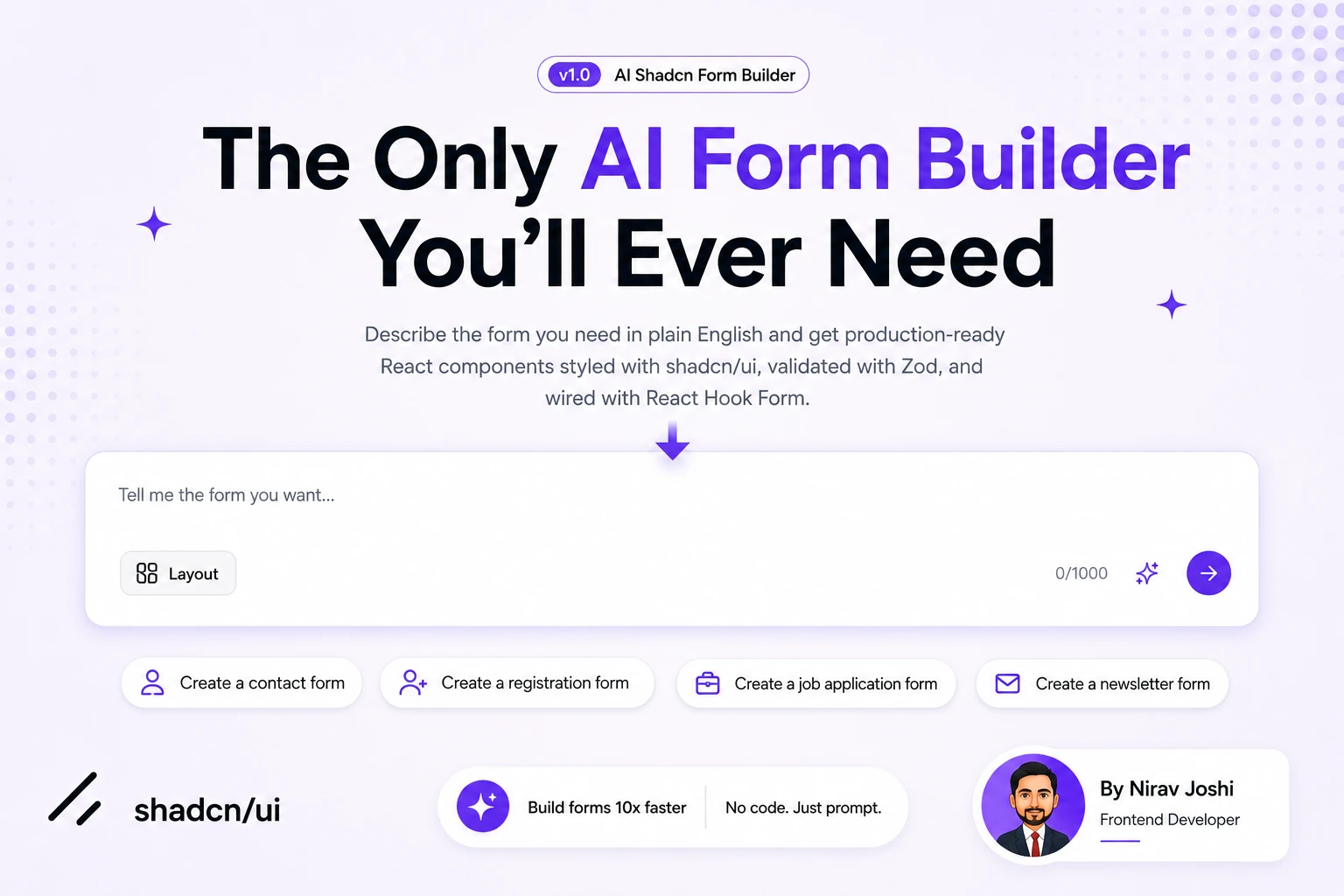
Instead of building every field manually, you can use a Shadcn Form Builder to generate forms using simple text prompts. Describe the form you need, such as a job application form, customer onboarding flow, event registration form, or SaaS billing form, and the builder can generate the code for you.
This form builder can help developers:
- Create forms faster without starting from scratch
- Generate form layouts in minutes
- Build forms for specific use cases
- Try different form structures quickly
- Reduce repetitive setup tasks
- Speed up the form development process
For example, you can use prompts like:
- Create a customer onboarding form with company details and team information.
- Generate a SaaS subscription form with pricing plan selection and billing details.
- Build a job application form with skills, experience, and availability fields.
- Create a student enrollment form with parent details and subject selection.
Once the form is generated, you can customize the fields, validation rules, styling, and user experience to match your application requirements. This makes AI-powered form builder a useful option when ready-made Shadcn form templates do not fully match your needs.
Multi-section settings form
Managing account, appearance, notification, and security settings on a single page can quickly become difficult.
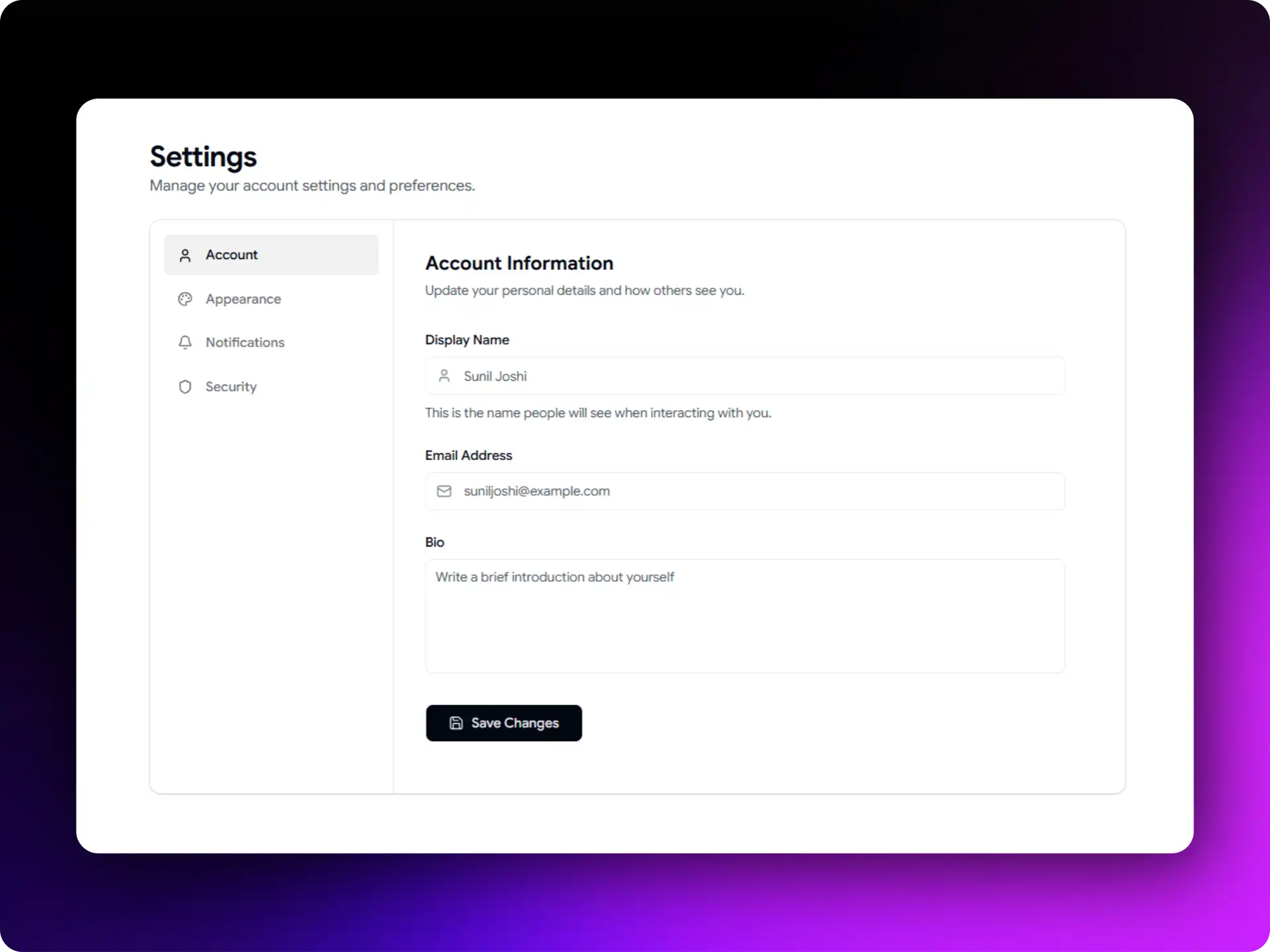
This Shadcn form layout uses a sidebar with separate clickable sections, making settings easier to find and update. This layout keeps related options organized into sections, helping users move through settings without feeling overwhelmed. It works well for admin dashboards and applications that have multiple preference areas.
Accessibility highlights:
- Sidebar navigation separates settings into clear categories
- Clear section headings improve navigation
- Active sections are easy to identify
- Keyboard-friendly navigation throughout the form
- Better organization for large settings pages
- Each section can be updated without disrupting other settings
Best for: Enterprise applications, admin panels, and SaaS products.
E-commerce checkout form
Checkout forms can become difficult to complete when shipping details, delivery options, promo codes, and payment information are placed on a single page.
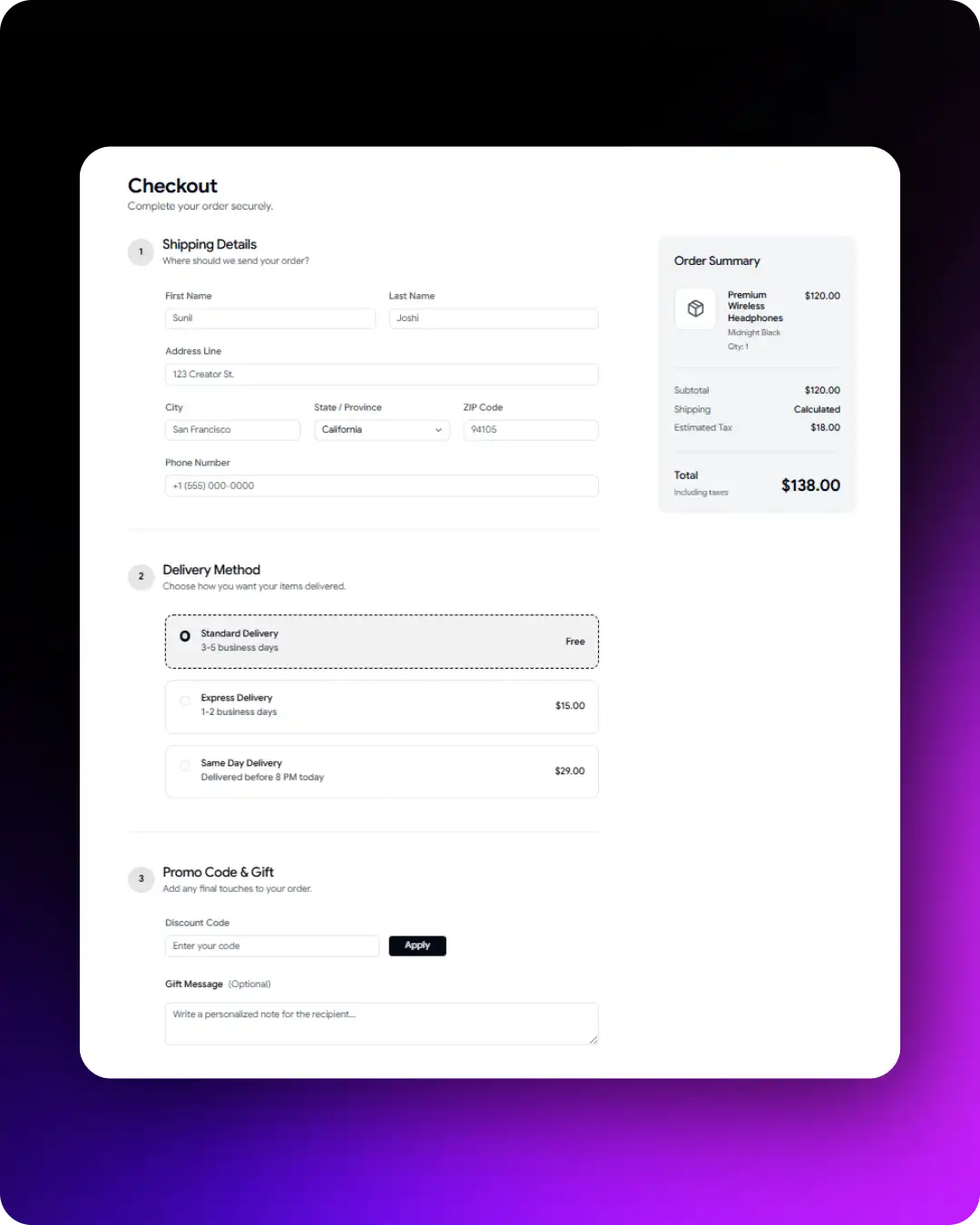
This Shadcn form template organizes the process into four simple steps, making it easier for users to complete their purchase. A live order summary remains visible throughout the checkout process, helping users review their selections before placing an order.
Accessibility highlights:
- Four-step checkout process for easier navigation
- Shipping, delivery, promo code, and payment details are organized clearly
- Order summary stays visible during checkout
- Each step checks required information before moving forward
- Clear payment section with easy-to-follow inputs
- Simple flow that helps users complete checkout faster
Best for: Online stores, subscription businesses, and digital product sales.
Job registration form
Job application forms often need different types of inputs to collect candidate information.
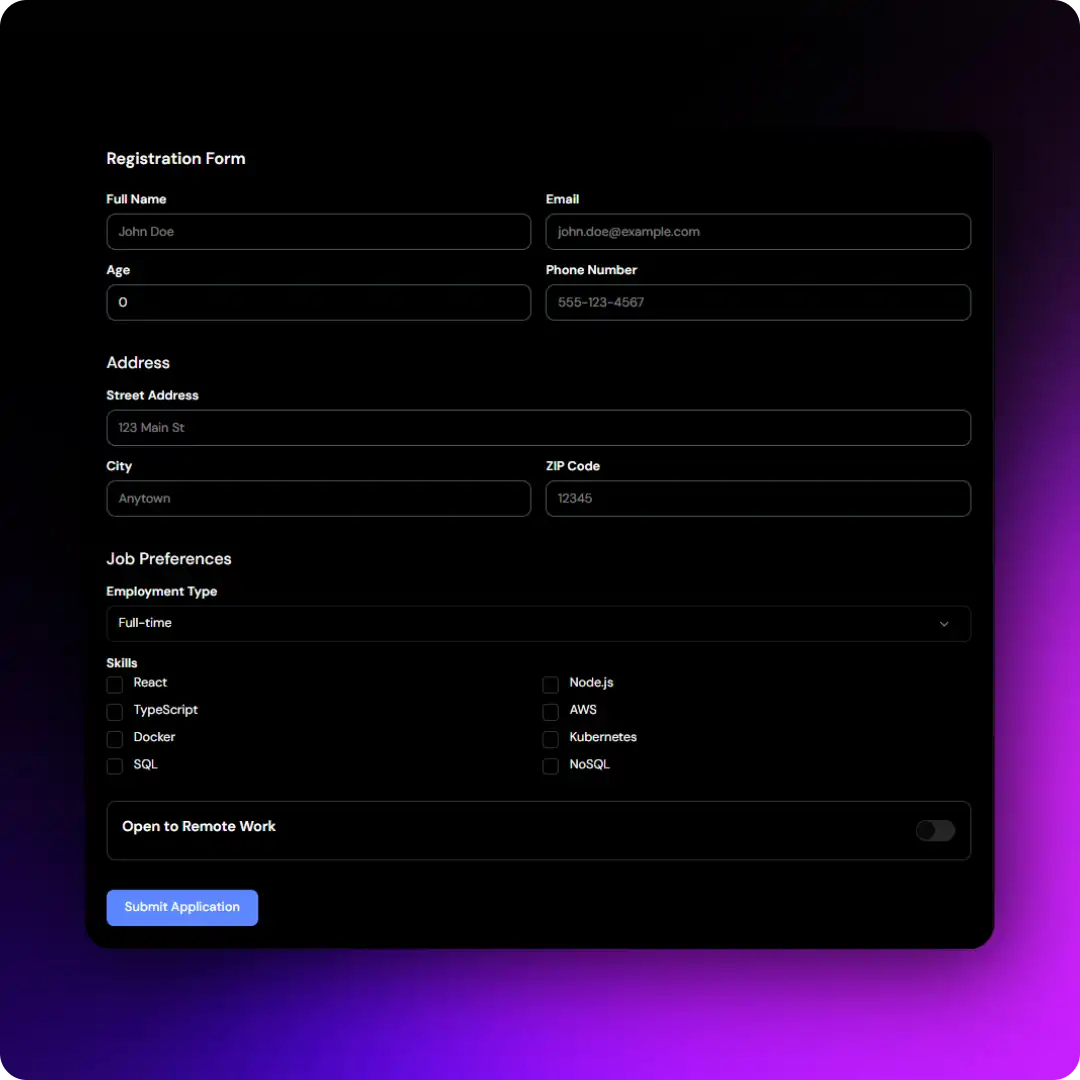
This Shadcn form example combines dropdowns, checkboxes, text areas, switches, and text inputs in a single form, making it easier to gather structured job application data.
It works well for recruitment platforms and HR systems that need to collect job preferences, skills, employment type, availability, and other professional details.
Accessibility highlights:
- Dropdowns, checkboxes, text areas, switches, and input fields in one form
- Clear labels for every field and control
- Helpful validation messages for user input
- Consistent keyboard navigation across all input types
- Well-organized layout with clear field separation
- Mobile-friendly form experience
Best for: Recruitment platforms, hiring portals, and HR systems.
Student enrollment form
Student enrollment forms often need information from both students and parents or guardians. This Shadcn form layout organizes student details, parent information, grade levels, and subject selections into separate sections, making the form easier to complete and manage.
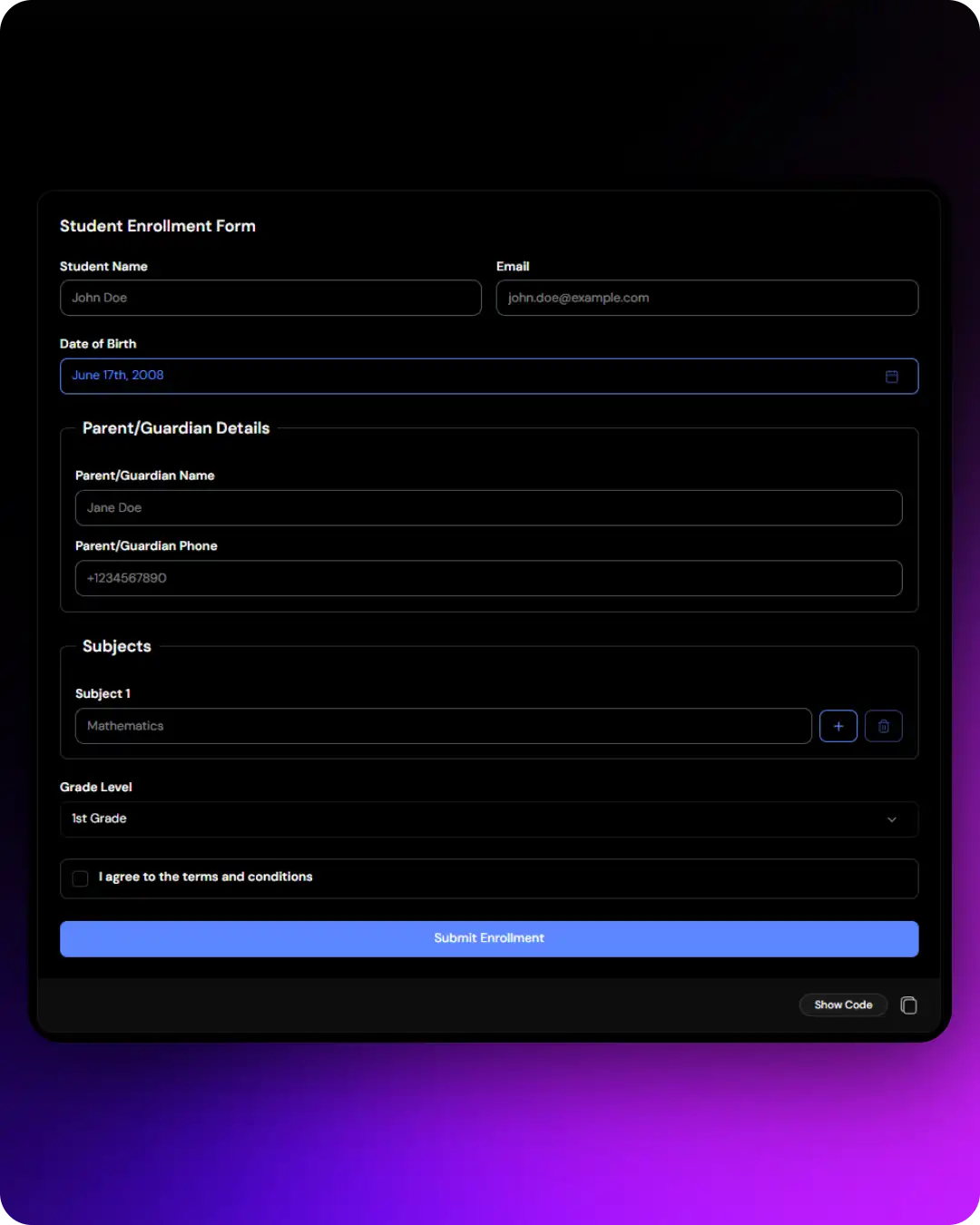
It works well for schools and educational platforms that need to collect registration information in a structured format.
Accessibility highlights:
- Separate sections for student and parent or guardian details
- Subject and grade selection fields are clearly organized
- Related fields stay grouped together for easier navigation
- Clear validation messages for each field
- Easy-to-follow form structure
- Keyboard-friendly navigation throughout the form
Best for: Educational platforms, schools, training institutes, and learning management systems.
Step-by-step ecommerce checkout form
This Shadcn form example guides users through the complete purchase process in separate steps. Instead of showing everything on a single page, it divides customer information, cart review, shipping details, and payment into smaller sections.
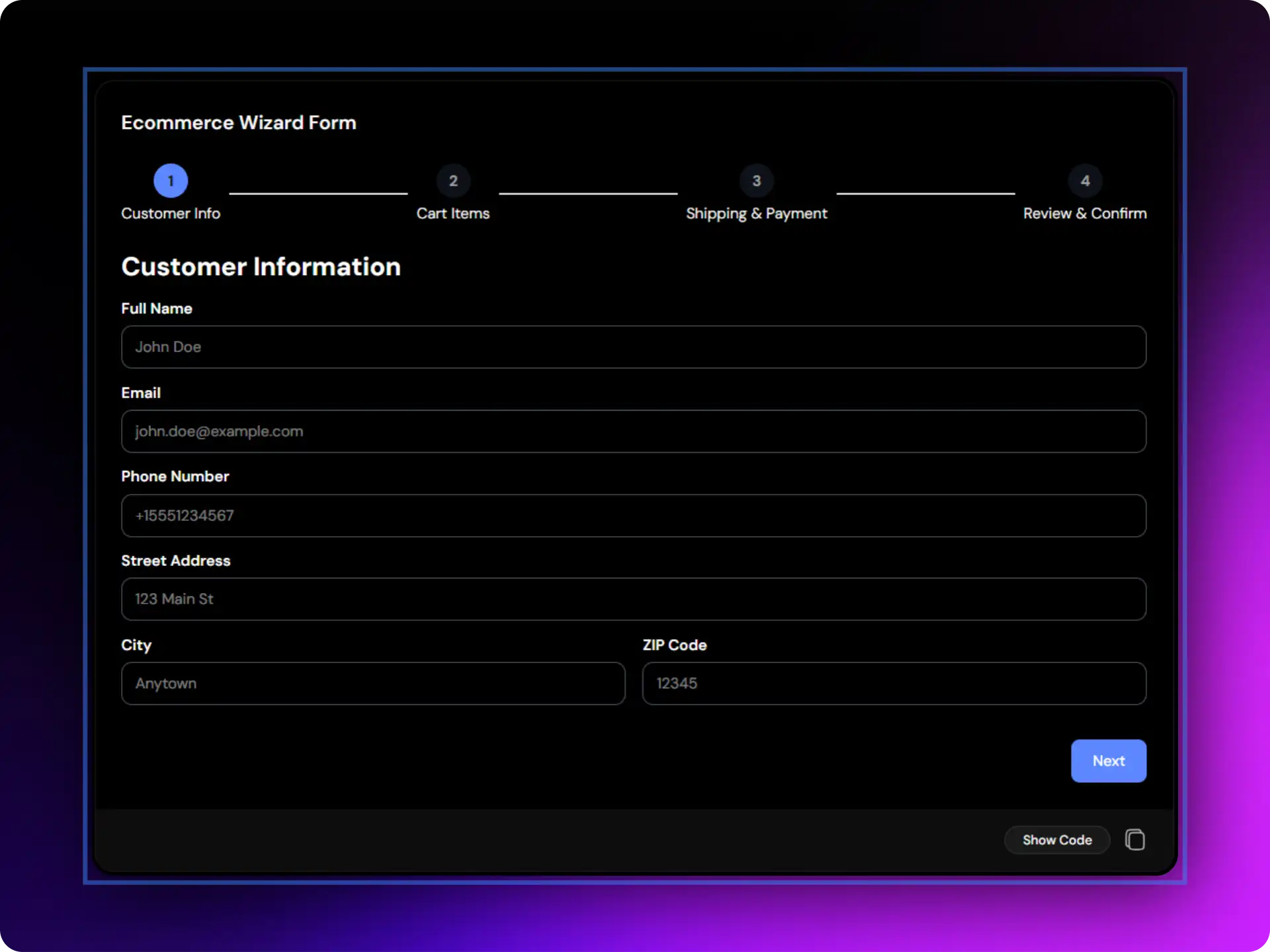
It works well for online stores that want to make the checkout process easier to follow and complete.
Accessibility highlights:
- Customer information, cart review, shipping, and payment are separated into clear steps
- Progress indicator helps users track where they are in the process
- Each step checks required information before moving forward
- Users can move between steps without losing their entered data
- Smaller sections make the form easier to complete
- Keyboard-friendly navigation throughout the checkout flow
Best for: Online stores, B2B ordering systems, and subscription purchases.
Repeater form variations
Repeater forms allow users to add or remove multiple entries within the same form. Instead of creating separate forms for each item, users can manage all related information in one place.
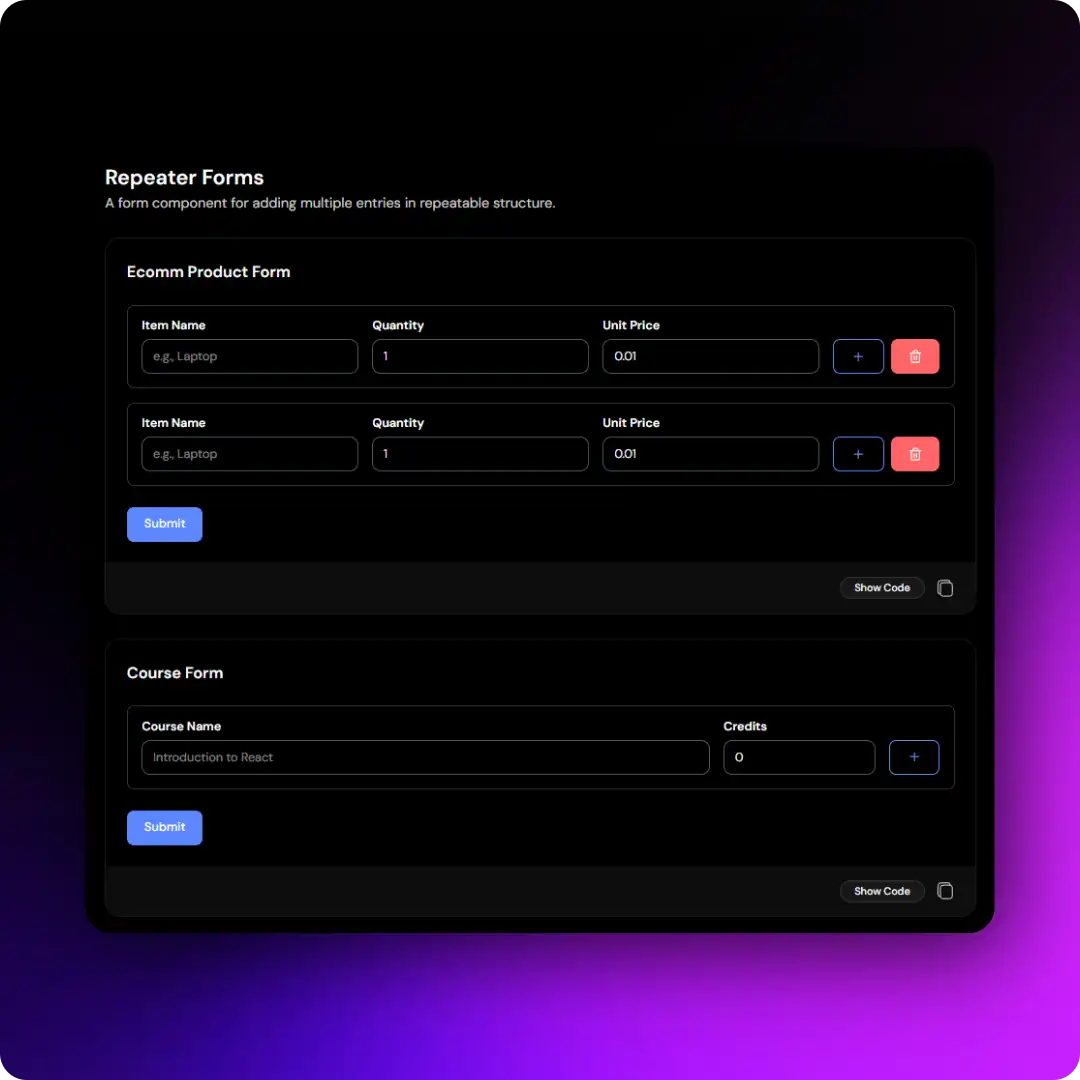
These Shadcn form variations cover several common use cases:
- Product Form: Item name, quantity, and unit price
- Course Form: Course name and credits
- Employee Form: Employee name, role, and email
- Daily Activity Form: Time and activity details
This form pattern works well for admin dashboards and business applications where users need to enter multiple records at once.
Accessibility highlights:
- Add and remove entries without leaving the form
- Related fields stay grouped together
- Clear labels for every field
- Validation messages appear next to the affected fields
- Consistent layout across all entries
- Keyboard-friendly navigation when adding or removing rows
Best for: Bulk Product management, employee multiple records and rapid course creation.
Form with pricing plan selection
Choosing a pricing plan is often the first step in a subscription process. This Shadcn form layout combines plan selection and user information in a single form, making it easier for users to select a plan and continue with signup or checkout.
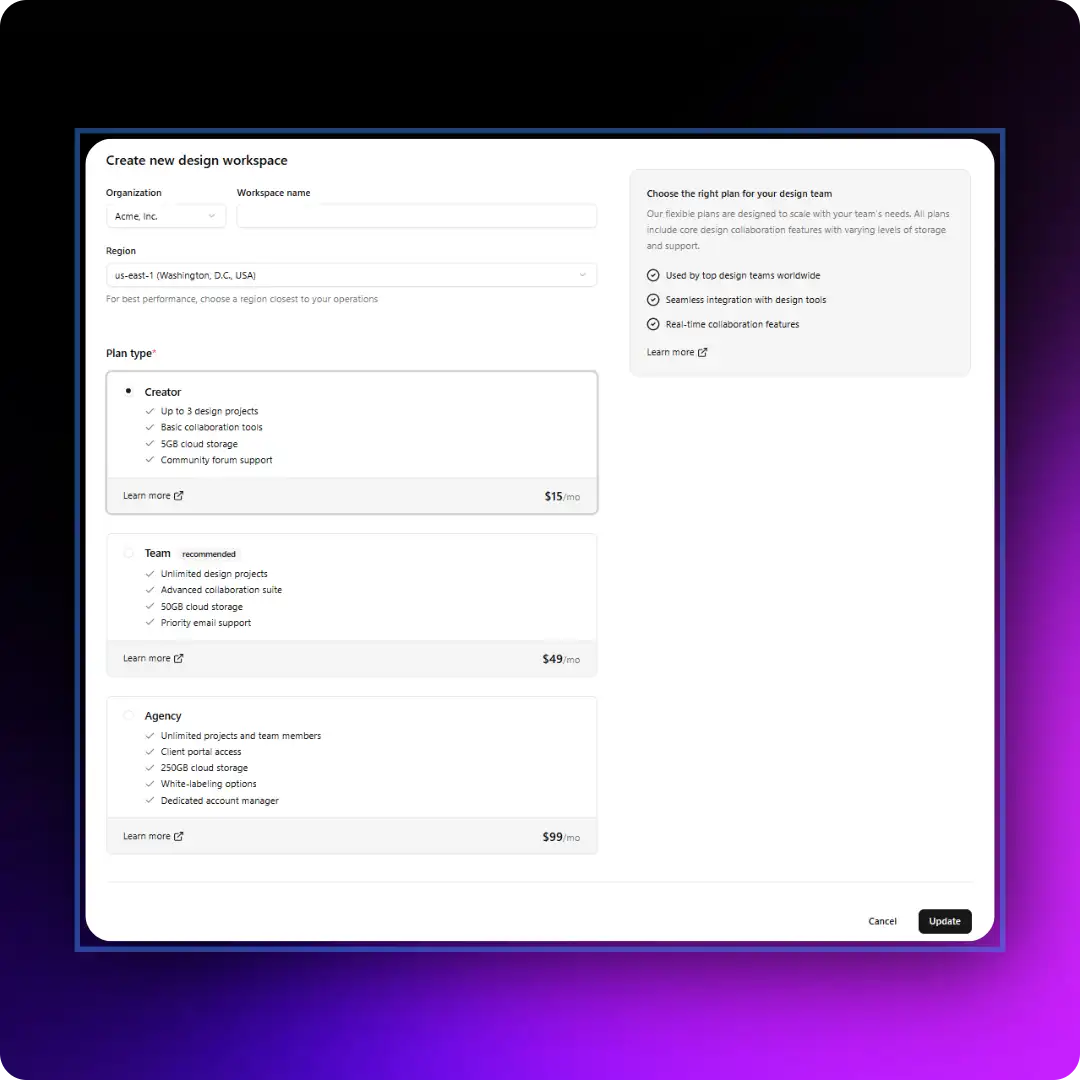
It works well for SaaS products and membership platforms where the selected plan affects the next steps in the user journey.
Accessibility highlights:
- Pricing plans are displayed in clear, easy-to-compare cards
- Selected plans are easy to identify
- Plan selection works with keyboard navigation
- User information and plan choice are submitted together
- Clear layout helps users complete the form with confidence
- Simple and organized signup experience
Best for: SaaS subscriptions, membership platforms, and software billing workflows.
Order summary form
This Shadcn form layout combines contact information, shipping details, product summaries, coupon codes, and pricing breakdowns in a single checkout screen.
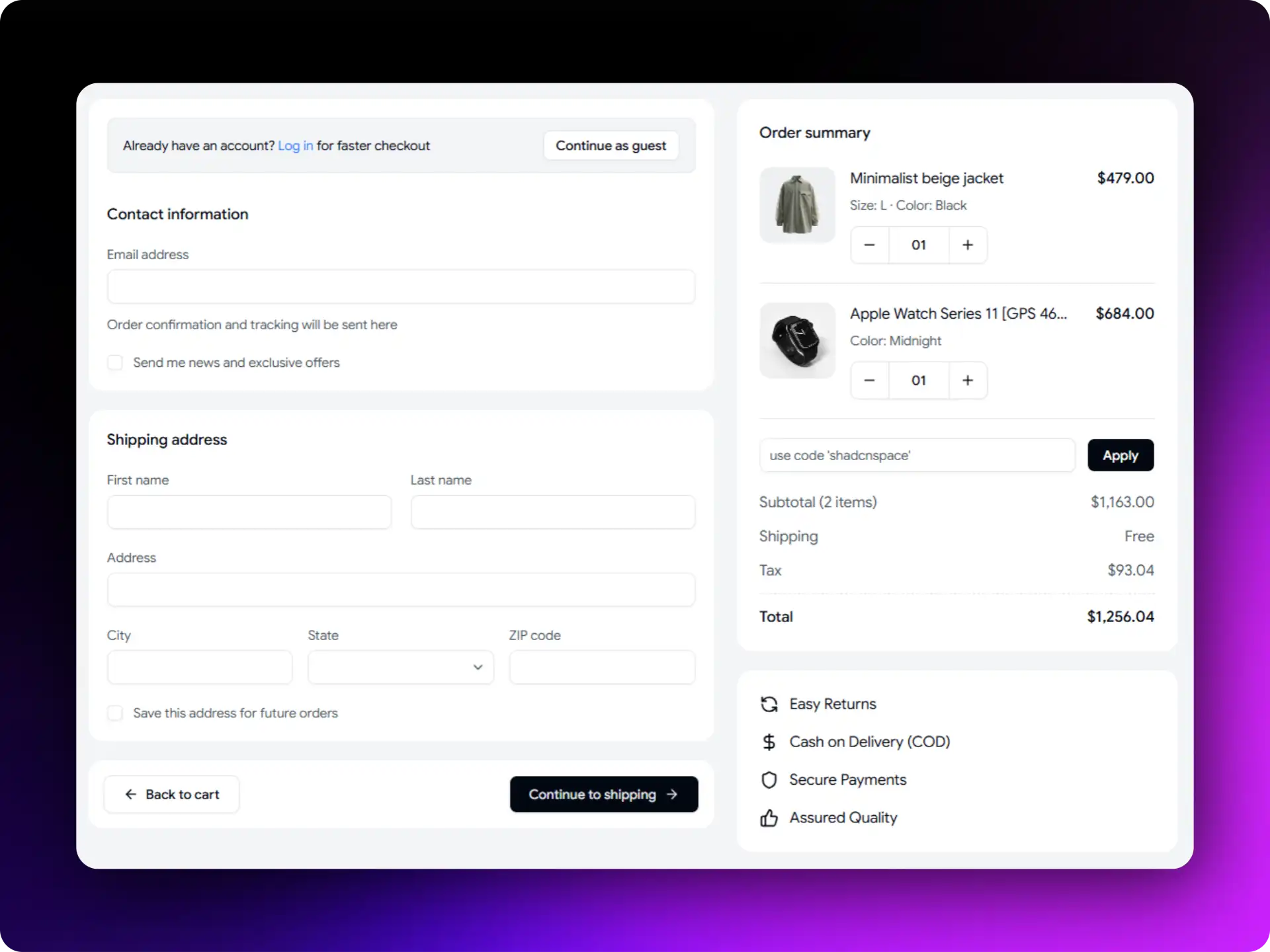
It helps users review their order and understand the final cost before completing a purchase.
Accessibility Highlights:
- Clear order and pricing summary
- Easy-to-review product details
- Coupon code and checkout actions in one place
- Keyboard-friendly navigation
- Simple checkout experience with visible order totals
Best for: E-commerce stores, subscription purchases, and online checkout experiences.
Wrap Up with WrapPixel
Now that you’ve seen these Shadcn forms, the next step is choosing the one that best fits your product. Forms help users complete tasks while keeping the experience accessible, organized, and easy to use.
Whether you’re building a SaaS dashboard, CRM, eCommerce platform, HR system, educational portal, or internal business application, the Shadcn form examples above provide practical patterns that can save development time and improve usability.
If you want a faster starting point, you can use any of the ready-to-use Shadcn form templates featured in this guide. You can also try a Shadcn Form Builder to generate forms from simple prompts and customize them to match your requirements.
Once you’ve chosen the right form pattern, pair it with React Hook Form or TanStack Form and Zod validation to build reliable and accessible forms. Start with the example closest to your use case, keep the accessibility features intact, and customize it to fit your application.
Looking for modern Shadcn Forms ?
If you’re looking for ready-to-use Shadcn Forms, explore these modern form templates and examples for your web projects. They provide a solid starting point for building admin dashboards, SaaS applications, eCommerce platforms, onboarding flows, account settings pages, and more.
Whether you need a checkout flow, profile form, multi-step wizard, or pricing selection form, these templates can help you build faster while maintaining accessibility & usability.