

React development in 2026 looks very different from what it was a few years ago. Teams are no longer shipping basic CRUD apps with heavy boilerplate and large UI frameworks.
Modern React applications now focus on fast rendering, accessible interfaces, scalable architecture, type-safe APIs, and smoother developer workflows.
From AI SaaS platforms and analytics dashboards to collaborative tools and admin panels, React developers are building production-grade applications with smaller bundles, cleaner component systems, and faster iteration cycles.
Which React NPM Packages Should You Learn First?
If you are starting modern React development in 2026, this combination works extremely well for most projects:
| Category | Recommended Package |
| Framework | Next.js |
| Styling | Tailwind CSS |
| UI Components | shadcn/ui |
| Forms | React Hook Form |
| Validation | Zod |
| Server State | TanStack Query |
| Client State | Zustand |
| Routing | react-router-dom or TanStack Router |
| Icons | Lucide React |
| Charts | Recharts |
| Tables | TanStack Table |
| Animation | Framer Motion |
| Testing | React Testing Library |
| ORM | Prisma |
We evaluated all these React NPM packages based on:
- Developer adoption in modern React apps
- Performance and bundle efficiency
- TypeScript support
- Community activity and maintenance
- Integration with Tailwind CSS and Next.js
- Flexibility for SaaS dashboards and admin panels
- Real-world production usage
Whether you’re building a startup dashboard, admin panel, design system, eCommerce app, analytics platform, or AI SaaS product, these React npm packages can significantly improve your development workflow.
Framer Motion
Framer Motion has become the standard animation library for React developers who want smooth UI interactions without writing complex animation logic manually. It gives developers a clean API for handling transitions, gestures, layout animations, and interactive micro animations.

From animated onboarding flows to dashboard interactions and landing page effects, Framer Motion makes modern interfaces feel more polished without hurting performance. It integrates naturally with React components and works well in both simple and large-scale applications.
Benefits
- Smooth page transitions and micro interactions
- Gesture-based animations
- Reusable animation variants
- Scroll-triggered animations
- Layout animations for dynamic interfaces
- Easy integration with React components

Best For
- Animated landing pages
- SaaS onboarding flows
- Interactive dashboards
- Product showcase websites
react-error-boundary
A lightweight, widely adopted wrapper library that simplifies React error boundaries by letting you use functional components instead of writing legacy class components.
Why Developers Use It
- Cleaner error boundary implementation
- Functional component support
- Better fallback UI handling
- Improved application stability
- Lightweight package size
- Easy integration with React apps
Best For
- Production React applications
- Enterprise dashboards
- Error recovery systems
- SaaS products
ESLint
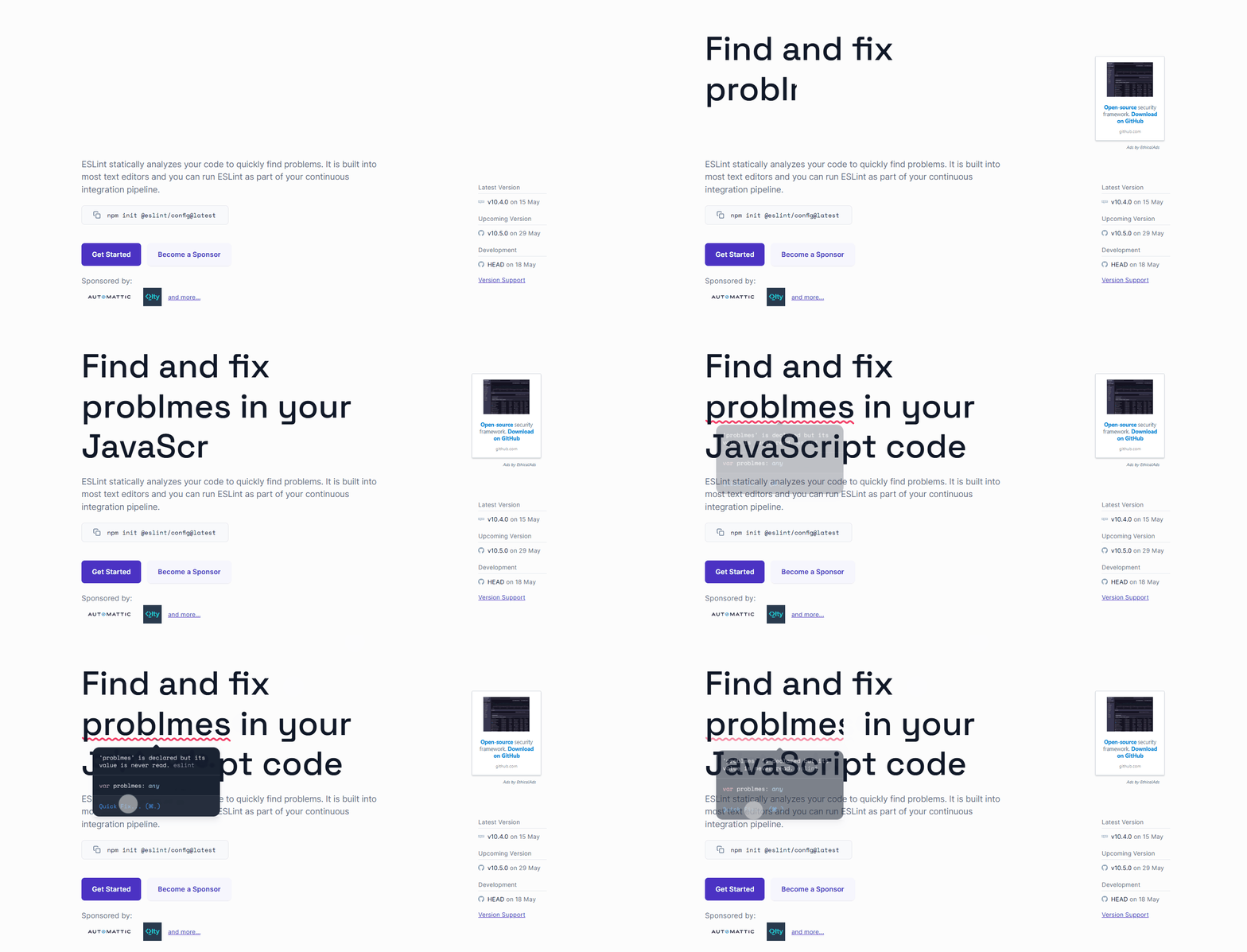
ESLint helps React developers catch problems early before code reaches production. It statically analyzes JavaScript and TypeScript files to detect bugs, unused variables, unsafe patterns, accessibility issues, and inconsistent coding practices.
For large teams, ESLint becomes extremely valuable because it enforces shared coding standards automatically. Instead of relying on manual code reviews for small mistakes, teams can focus more on architecture and logic.
Modern React projects commonly combine ESLint with Prettier, TypeScript, and CI pipelines to maintain cleaner and more predictable codebases.
Why Developers Use It
- Detects code issues early
- Improves maintainability
- Supports custom linting rules
- Works with CI pipelines
- Strong editor integrations
- Helps teams follow consistent coding standards
TanStack Virtual (Previously React Virtual)
TanStack Virtual helps React applications handle performance with long lists and massive datasets by virtualizing UI elements. Instead of rendering every row in the DOM, it only renders visible items on the screen, helping applications stay fast and responsive even with large amounts of data.
It is also considered a great alternative to React Virtuoso for developers who want more control and flexibility over virtualization behavior.
Why Developers Use It
- Handles millions of rows efficiently
- Smooth scrolling performance
- Dynamic item sizing support
- Reduced DOM rendering overhead
- Works with TanStack Table
- Better memory optimization
Best For
- Data-intensive dashboards
- Financial applications
- Analytics systems
- Large enterprise tables
SWR
SWR simplifies one of the most repetitive parts of frontend development: fetching and synchronizing API data. Instead of manually managing loading states, retries, caching logic, and background updates, developers can handle server data using a single hook.

The library follows the stale-while-revalidate strategy, which keeps applications responsive while automatically updating data in the background. It is commonly used in Next.js dashboards, analytics platforms, and API-heavy interfaces where performance matters.
Benefits
- Automatic background revalidation
- Smart caching system
- Faster loading experiences
- Offline support capabilities
- Parallel request handling
- React Suspense support
Best For
- API-driven dashboards
- Real-time applications
- Data-heavy interfaces
- Next.js projects
react-i18next
react-i18next helps React applications support multiple languages without forcing developers to build custom localization systems from scratch. As SaaS products increasingly target global users, internationalization has become an important requirement instead of an optional feature.
The library provides structured translation management, dynamic language switching, namespace-based organization, and server-side rendering compatibility. Developers can scale translation workflows cleanly even in large enterprise applications.
It works especially well for multilingual dashboards, eCommerce platforms, educational apps, and region-specific SaaS products.
Why Developers Use It
- Multi-language support
- Dynamic translation loading
- Namespace organization
- Flexible localization workflows
- Works with SSR frameworks
- Scalable translation management
Best For
- Global SaaS platforms
- Multi-region applications
- eCommerce websites
- Enterprise dashboards
dotenv
dotenv is one of those small packages that quietly powers thousands of production applications. It helps developers manage environment variables in a clean and secure way without hardcoding sensitive values directly into the codebase.
API keys, database credentials, authentication secrets, analytics tokens, and deployment-specific configurations can all be separated into environment files. This improves maintainability while making projects easier to deploy across development, staging, and production environments.
Almost every Node.js or React-based full-stack application ends up using dotenv in some form during development workflows.
Why Developers Use It
- Environment-based configuration
- Cleaner secret management
- Simplifies deployment setup
- Works across Node.js environments
- Prevents hardcoded credentials
- Improves application maintainability
react-router-dom
This is one of the most important packages in the React ecosystem because almost every production application needs structured navigation. Modern versions have evolved far beyond simple page routing and now include nested layouts, loaders, actions, route-level data fetching, and better state-aware navigation.
Developers use react-router-dom to build scalable application architectures where routing logic stays organized even as projects grow. It works especially well for SaaS dashboards, admin panels, multi-page platforms, and content-heavy applications where layouts and navigation structures become increasingly complex over time.
The newer data APIs also reduce the need for separate fetching logic in many cases, helping developers centralize route-based data handling more efficiently.
Why Developers Use It
- Nested route support
- Layout-based routing
- Data loading APIs
- Client-side navigation
- Dynamic route handling
- Improved developer experience
Best For
- Multi-page React applications
- SaaS dashboards
- Content platforms
- Complex navigation systems
AutoAnimate
AutoAnimate is designed for developers who want polished UI transitions without spending hours configuring animation libraries. Instead of manually defining animation states, durations, and transitions, developers simply wrap elements and AutoAnimate handles movement automatically.
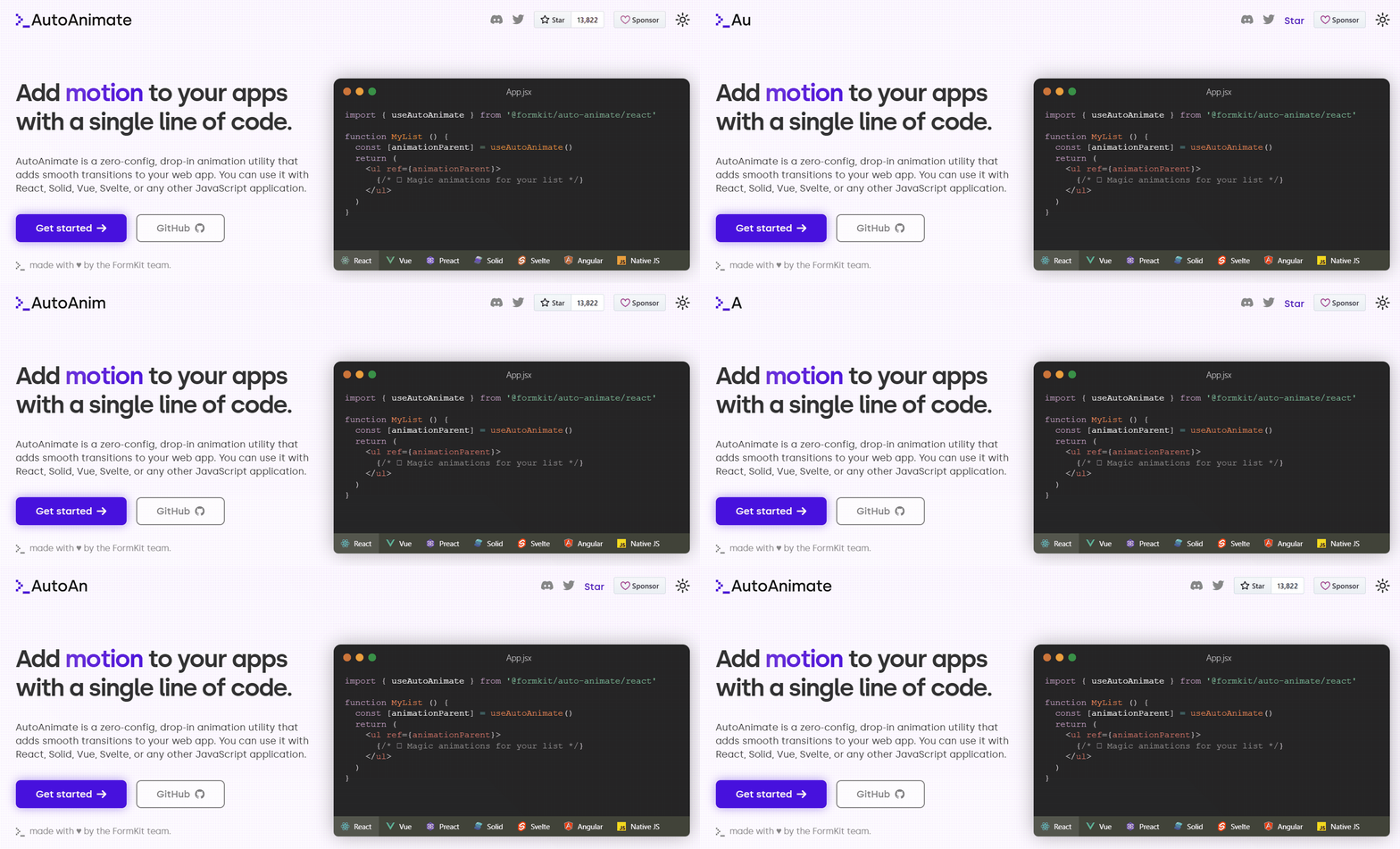
It works particularly well for dynamic lists, dashboard widgets, tables, cards, notifications, and layouts where elements frequently get added, removed, or reordered. This makes interfaces feel smoother with almost no additional development effort.
For smaller interactions and utility animations, AutoAnimate is often considered a lighter alternative to larger animation systems.
Why Developers Use It
- One-line animation setup
- Automatic transition handling
- Lightweight alternative to heavy animation libraries
- Works with dynamic lists
- Supports multiple frameworks
- Smooth add/remove animations
Best For
- Small UI interactions
- Dynamic lists
- Dashboard widgets
- Simple animation workflows
Lodash
Lodash is one of the most widely used JavaScript utility libraries for handling common programming tasks with cleaner and shorter code. It provides hundreds of helper functions for working with arrays, objects, strings, numbers, collections, and data transformations without writing repetitive logic manually.
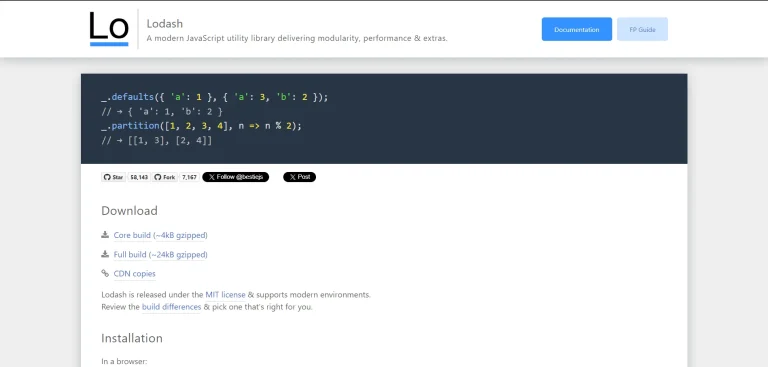
Even with modern JavaScript improvements, many developers still use Lodash because it simplifies complex operations, improves readability, and speeds up development workflows in large applications.
Why Developers Use It
- Simplifies complex JavaScript operations
- Reduces repetitive utility code
- Cleaner handling for arrays and objects
- Reliable helper methods for data transformation
- Improves code readability and maintainability
- Works well in both frontend and backend projects
- Large and battle-tested ecosystem
Best For
- Data transformation logic
- Utility-heavy JavaScript projects
- Node.js applications
- React applications
- Admin dashboards
- Complex array and object manipulation
- Backend data processing
TanStack Table (Previously React Table)
TanStack Table is a powerful headless table library built for creating fully customizable data tables in React applications. Instead of forcing predefined UI styles, it gives developers complete control over rendering, layouts, interactions, and table behavior.
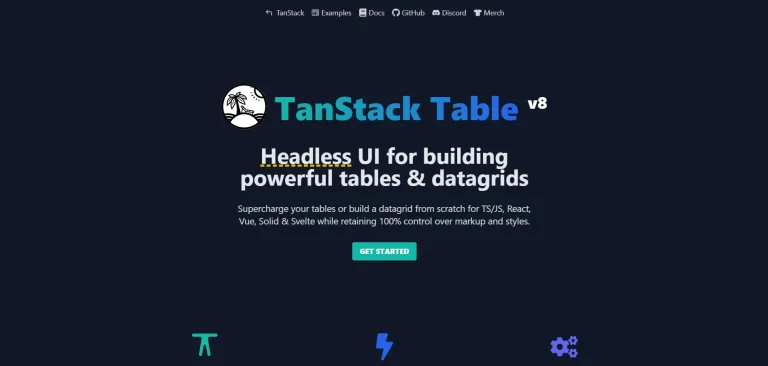
It supports advanced features like sorting, filtering, pagination, row selection, virtualization, grouping, and editable cells while maintaining excellent performance even with large datasets.
Why Developers Use It
- Fully customizable table architecture
- Excellent performance with large datasets
- Supports sorting, filtering, and pagination
- Headless approach for full UI flexibility
- Works well with virtualization libraries
- Strong TypeScript support
- Scalable for enterprise-level applications
Best For
- SaaS dashboards
- Admin panels
- Analytics applications
- Data-heavy React applications
- Financial dashboards
- CRM systems
- Enterprise tables with large datasets
React PDF
React PDF helps developers create and render PDF documents directly inside React applications using familiar React components and layouts. Instead of relying on external PDF generators, developers can build dynamic PDF files using JSX-based structures and reusable components.
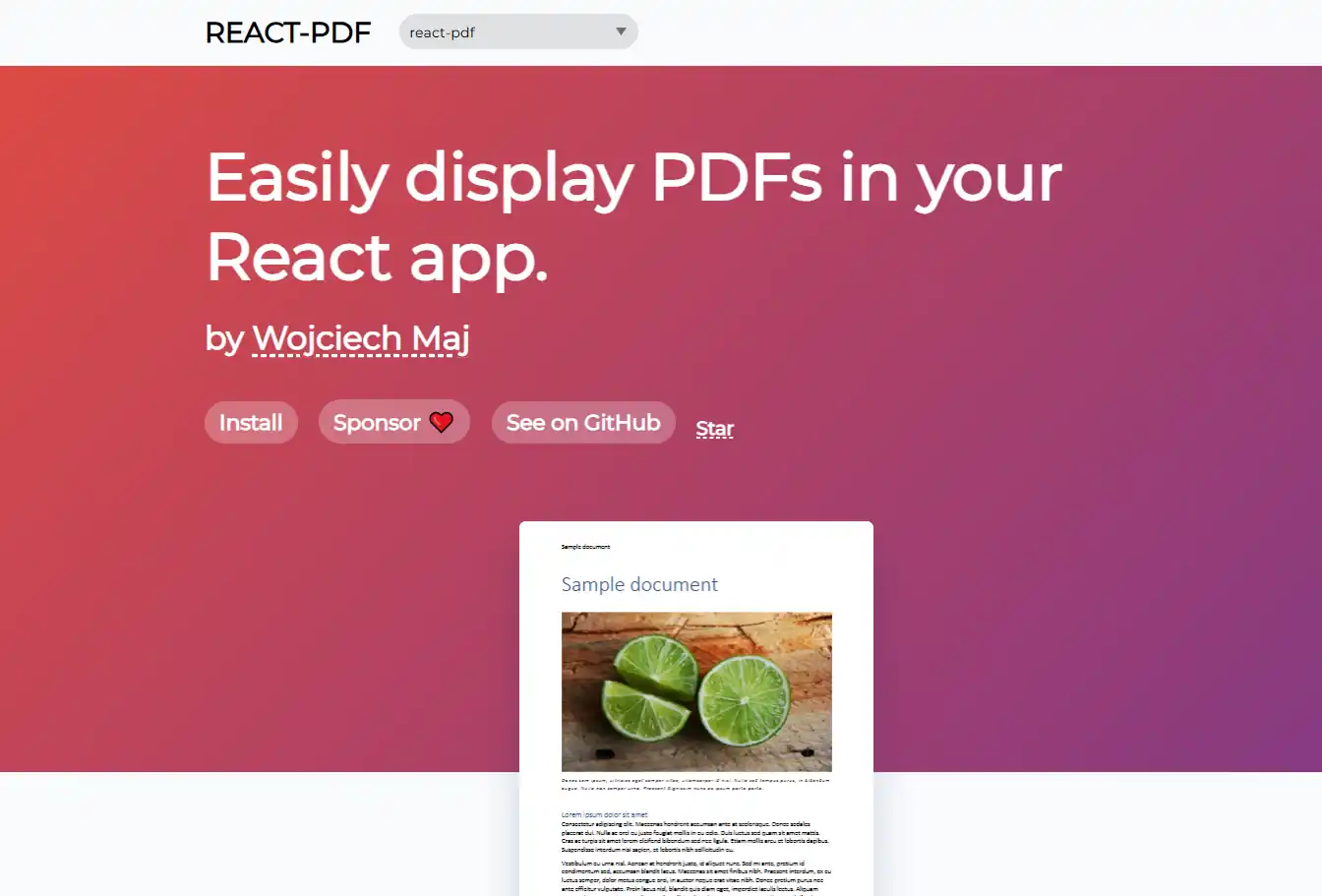
The library is commonly used for invoices, reports, downloadable documents, certificates, resumes, and admin-generated files where custom layouts and dynamic content are required.
Why Developers Use It
- Generate PDFs using React components
- Dynamic PDF creation with reusable layouts
- Supports custom styling and page structures
- Reduces dependency on external PDF tools
- Works well with dynamic application data
- Supports rendering and viewing PDFs inside apps
- Familiar React-based development workflow
Best For
- Invoice generation
- Analytics and business reports
- Resume builders
- Certificate generation systems
- Admin dashboards
- Downloadable SaaS documents
- Dynamic PDF workflows
React Big Calendar
React Big Calendar is a flexible scheduling and calendar library built for React applications. It helps developers create interactive calendar interfaces with support for daily, weekly, monthly, and agenda-based event views.
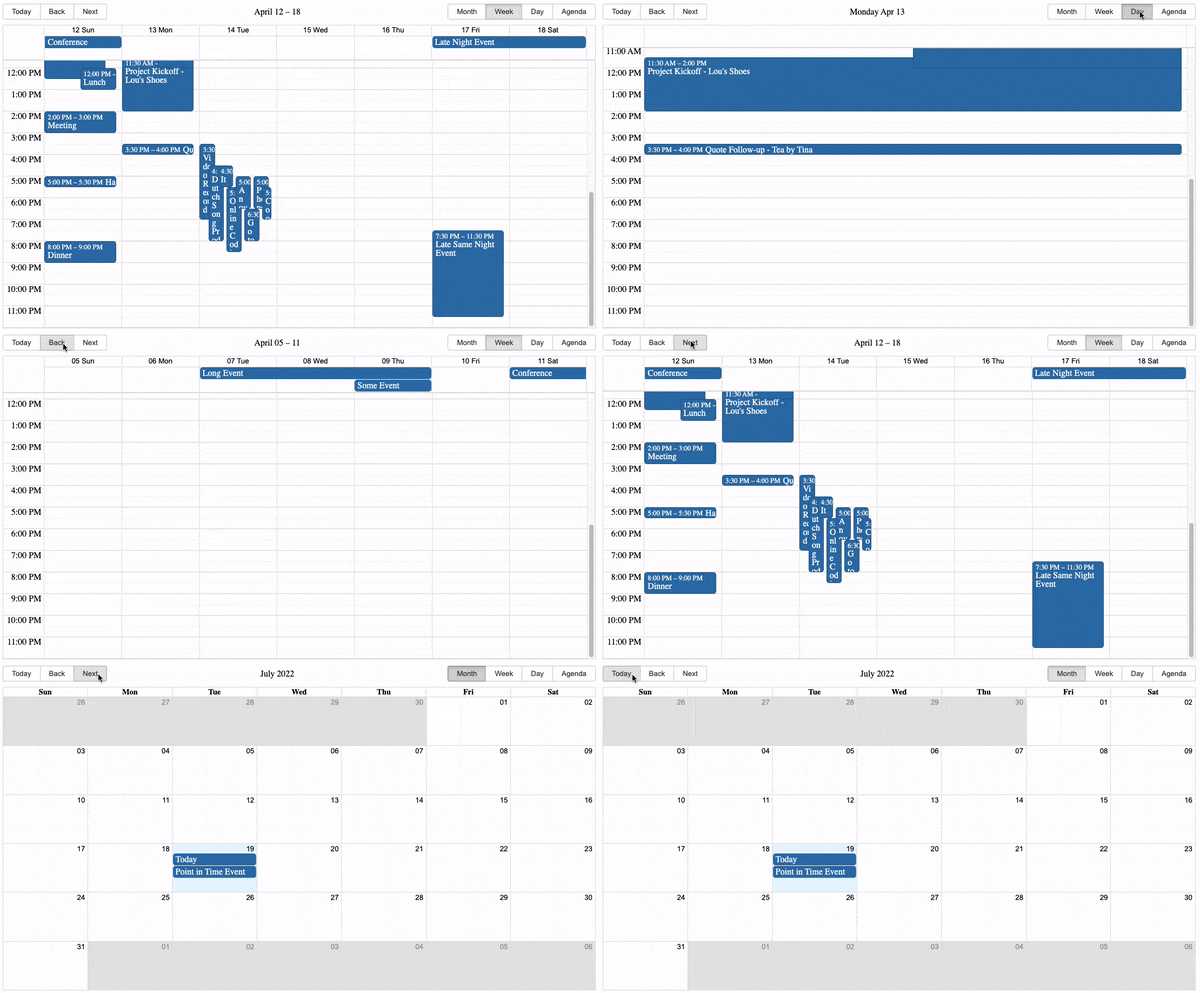
The library is commonly used in scheduling systems, booking platforms, task management tools, healthcare applications, and event management dashboards where handling large numbers of events efficiently is important.
Why Developers Use It
- Multiple calendar views support
- Customizable event rendering
- Smooth handling for large event datasets
- Drag-and-drop scheduling support
- Works with external date libraries
- Responsive and flexible layouts
- Good customization for enterprise applications
Best For
- Scheduling applications
- Booking systems
- Event management platforms
- Healthcare appointment systems
- Team collaboration tools
- Task management dashboards
- Enterprise calendar systems
tanstack/react-query
TanStack Query completely changed how React developers manage server state inside frontend applications. Before libraries like React Query became popular, developers had to manually handle loading states, caching, retries, background synchronization, refetching, and stale data management using custom hooks and repetitive logic.
Now, React Query handles most of that complexity automatically. It helps applications stay responsive while keeping server data synchronized in the background. This becomes extremely valuable in dashboards, analytics systems, financial applications, collaborative tools, and any interface where API requests happen frequently.
One of the biggest reasons developers prefer TanStack Query is because it reduces boilerplate while improving performance and user experience at the same time.
Why Developers Use It
- Automatic caching and synchronization
- Background data refetching
- Mutation handling
- Optimistic UI updates
- Pagination and infinite queries
- Reduced boilerplate for API logic
Best For
- Enterprise dashboards
- API-heavy applications
- SaaS products
- Real-time interfaces
React MUI Sidebar
This NPM package helps developers build production-ready dashboard navigation without manually managing complex sidebar states and responsive layouts. It is built on top of Material UI, which makes it a practical choice for teams already working inside the MUI ecosystem.
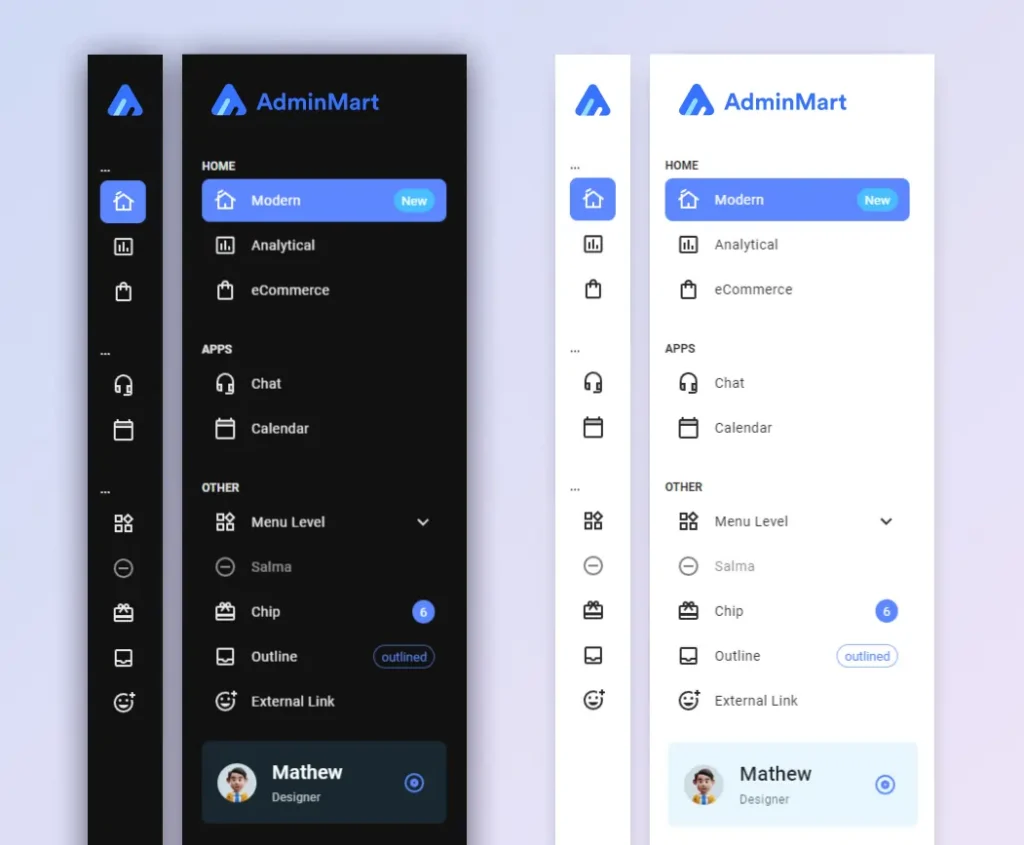
Instead of building sidebar components from scratch, developers can quickly create expandable navigation systems, nested menus, collapsible sections, and mobile-friendly layouts. It works especially well for SaaS dashboards, CRM software, analytics panels, and internal admin tools.
Why Developers Use It
- Responsive sidebar layouts for desktop and mobile
- Nested navigation support
- Material UI integration
- Smooth transition animations
- Customizable design structure
- Optimized for dashboard applications
Best For
- Admin dashboards
- CRM software
- SaaS analytics platforms
- Project management tools
Lucide React
Iconography is the backbone of any UI. While FontAwesome was the go-to in the past, Lucide React is now the preferred choice for modern React projects due to its clean aesthetic and lightweight nature.
Why Developers Use It
- Clean modern icon design
- Tree-shakable architecture
- Lightweight package size
- Tailwind-friendly styling
- Consistent iconography
- Large icon collection
Best For
- SaaS dashboards
- Admin interfaces
- Modern UI systems
- Design-focused applications
Recharts
Recharts is a redefined chart library built with React and D3. The main purpose is to help you write charts in React applications without any pain.
Why Developers Use It
- Declarative chart components
- Native SVG rendering
- Lightweight charting solution
- Responsive visualizations
- Easy React integration
- Flexible customization options
Best For
- Analytics dashboards
- Financial platforms
- Business intelligence tools
- Reporting systems
React Resizable Panels
Perfect for dashboards with drag-resizable layouts. React Resizable Panels enables flexible, user-adjustable panels in web applications.
Why Developers Use It
- Drag-resizable layouts
- Keyboard accessibility support
- Nested panel support
- Persistent layout handling
- Lightweight implementation
- TypeScript-ready APIs
Best For
- IDE-style interfaces
- Dashboard builders
- Analytics platforms
- Admin systems
React Virtuoso
Better alternative to older virtualization libraries & tanstack virtual. React Virtuoso is used for performance with long lists, rendering large datasets efficiently.
Why Developers Use It
- Handles millions of rows smoothly
- Infinite scrolling support
- Optimized performance
- Dynamic height handling
- Smooth scrolling experience
- Ideal for large datasets
Best For
- Chat applications
- Large tables
- Activity feeds
- Infinite-scroll dashboards
React Refresh
React Refresh powers Fast Refresh support in modern React tooling. Fast Refresh lets you edit React components in a running application without losing their state.
Why Developers Use It
- Preserves component state during edits
- Faster development workflow
- Official React-supported hot reload system
- Better local development experience
- Smooth debugging process
- Bundler integration support
Best For
- Faster React development workflows
- Preserving component state during development
- Large frontend codebases with frequent UI updates
- Improving Hot Module Replacement experience
- React applications requiring faster local iteration cycles
Tailwind CSS
Tailwind CSS has completely changed how React developers build interfaces. Instead of switching between CSS files, component styles, and design systems, developers can build responsive layouts directly inside JSX using utility classes.

It speeds up frontend development significantly, especially for SaaS dashboards, admin templates, and startup products where teams need consistent UI patterns without maintaining large CSS codebases. Tailwind also works extremely well with component systems like shadcn/ui and Radix UI.
Why Developers Use It
- Utility-first styling workflow
- Faster UI development
- Easy responsive design handling
- Excellent developer productivity
- Custom design system support
- Works perfectly with component libraries
Best For
- SaaS dashboards
- Landing pages
- Design systems
- Admin templates
shadcn/ui
shadcn/ui has quickly become one of the most discussed tools in the React ecosystem because it solves a major pain point developers face with traditional component libraries. Instead of installing a locked UI package, developers copy fully customizable components directly into their projects.
The library combines Tailwind CSS, Radix UI, and accessible patterns into a developer-friendly workflow. Teams get complete control over styling, structure, and component behavior without fighting opinionated abstractions.
Why Developers Use It
- Copy-paste component architecture
- No vendor lock-in
- Accessible components by default
- Built on Tailwind CSS and Radix UI
- Full customization control
- Excellent developer experience
Why shadcn/ui is Dominating Modern React Development
Unlike traditional component libraries, shadcn/ui gives developers complete ownership over their components. This makes customization easier for teams building unique SaaS interfaces and admin dashboards.
Want to explore the shadcn ecosystem in more detail ?
Check out our “Shadcn Handbook” article to learn how developers are building modern React interfaces using shadcn/ui, Radix UI, and Tailwind CSS.
Best For
- SaaS products
- AI applications
- Modern dashboards
- Design systems
React Hook Form
React Hook Form is widely used because it keeps forms fast even in large applications with complex validation logic. Unlike older form libraries that trigger unnecessary re-renders, React Hook Form focuses heavily on performance and minimal state updates.
Developers commonly use it for authentication flows, onboarding systems, checkout forms, and enterprise dashboards where large forms can easily become difficult to maintain. It pairs especially well with TypeScript and schema validation libraries like Zod.
Why Developers Use It
- Minimal re-renders
- Lightweight bundle size
- Easy validation handling
- TypeScript-friendly APIs
- Better form performance
- Cleaner form management logic
Best For
- Authentication forms
- Multi-step forms
- SaaS onboarding flows
- Large enterprise forms
Zod
Zod has become one of the most widely adopted validation libraries in modern TypeScript applications because it brings runtime validation and static typing together in a very clean workflow. Instead of maintaining separate validation logic and TypeScript types, developers can define schemas once and reuse them across forms, APIs, and backend services.

This approach reduces duplication, improves maintainability, and helps prevent runtime errors in large applications. Zod works especially well in full-stack React projects where type safety matters across both frontend and backend layers.
The library is commonly paired with React Hook Form, Next.js, Prisma, and tRPC to build strongly typed developer workflows.
Why Developers Use It
- Type-safe validation
- Schema-first development
- Strong TypeScript integration
- Cleaner backend and frontend validation
- Works perfectly with React Hook Form
- Better developer confidence
Best For
- Form validation
- API schema validation
- Full-stack TypeScript apps
- SaaS applications
React Testing Library
Built for testing React applications through real user interactions instead of internal component logic. It helps developers create reliable and maintainable test cases for buttons, forms, inputs, modals, and complete user flows.

For teams building large React applications, React Testing Library helps improve confidence during refactoring while keeping testing logic closer to real production behavior.
Why Developers Use It
- User-focused testing approach
- Lightweight testing utilities
- Better UI testing confidence
- Easy React integration
- Encourages accessibility-friendly testing
- Cleaner test implementation
Best For
- Frontend testing
- UI component validation
- Enterprise applications
- Production React apps
react-icons
react-icons simplifies icon management in React projects by giving developers access to multiple popular icon packs through a single package. Instead of manually importing SVG files or configuring separate libraries, developers can directly use icons as React components.
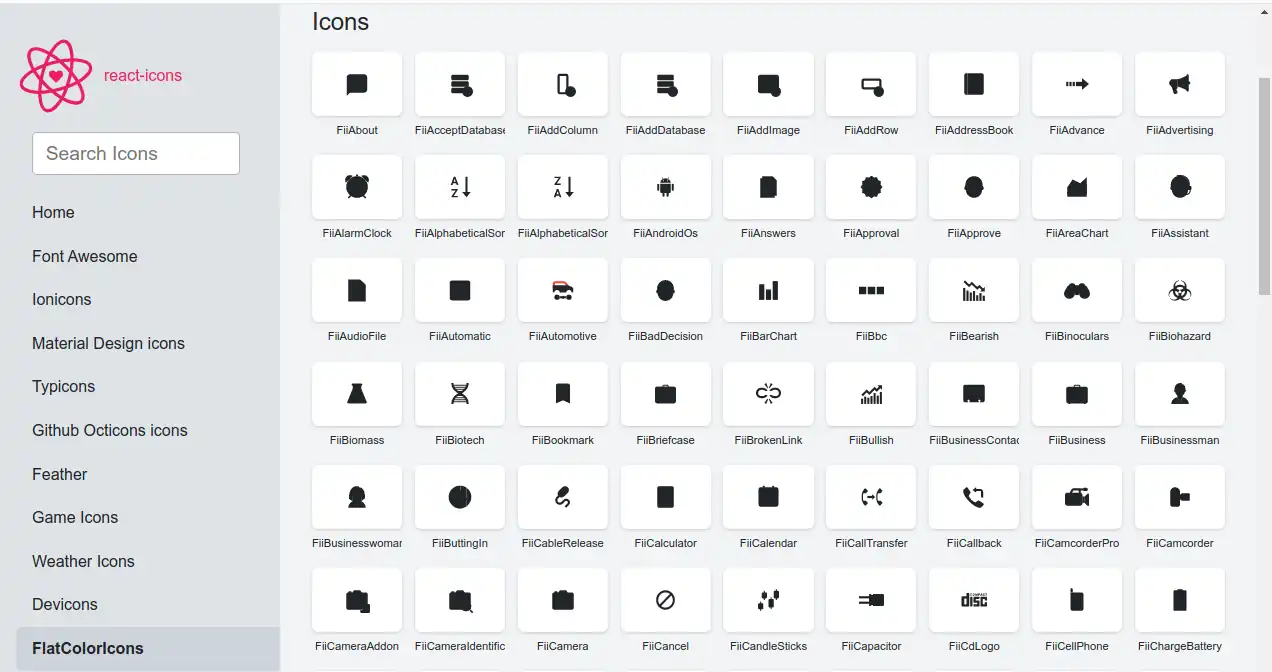
The package supports widely used icon collections like Font Awesome, Material Design Icons, Heroicons, Bootstrap Icons, and many others. This flexibility makes it useful across different project styles and design systems.
Developers commonly use react-icons in dashboards, navigation menus, settings panels, authentication pages, and landing pages where scalable vector icons are needed without adding unnecessary complexity.
Why Developers Use It
- Large icon collection
- Easy React integration
- SVG-based rendering
- Lightweight icon usage
- Supports multiple icon sets
- Fast customization with CSS and Tailwind
Best For
- Dashboard interfaces
- Navigation systems
- Landing pages
- Product UIs
Prettier
Prettier became popular because frontend teams were spending too much time debating formatting styles instead of building features. The package automatically formats code into a consistent structure, helping teams avoid unnecessary discussions around spacing, indentation, semicolons, and line breaks.
In React projects with multiple developers, Prettier helps keep pull requests cleaner and improves overall code readability. It integrates directly with editors, CI pipelines, and Git hooks, making formatting almost invisible in day-to-day development.
Today, Prettier is considered a standard part of most modern React development setups.
Why Developers Use It
- Consistent code formatting
- Improves team collaboration
- Reduces formatting debates
- Supports multiple languages
- Easy editor integration
- Cleaner pull requests
Vite
Vite has become the preferred build tool for modern React projects because it dramatically improves local development speed. Cold starts are faster, hot module replacement feels instant, and the overall developer experience is noticeably smoother compared to older bundlers.

For developers working on large dashboards, component libraries, or SaaS platforms, Vite helps reduce waiting time during development while still generating optimized production builds.
Why Developers Use It
- Extremely fast hot module replacement
- Faster local development
- Optimized production builds
- Lightweight configuration
- Plugin ecosystem support
- Great TypeScript integration
Best For
- Modern React applications
- SaaS dashboards
- Portfolio websites
- Performance-focused projects
Zustand
Zustand became popular because many React developers wanted a simpler alternative to Redux without sacrificing flexibility. It provides a lightweight hooks-based API that removes much of the boilerplate traditionally associated with global state management.
The library works especially well for authentication state, UI preferences, dashboard filters, modal management, and shared client-side data. Developers can create stores quickly without adding providers or large configuration files.
Why Developers Use It
- Minimal boilerplate
- Tiny bundle size
- No providers required
- Easy TypeScript integration
- Works outside components
- Fast learning curve
New Lightweight Alternative to Redux in 2026
Many developers are moving from Redux to Zustand because of its smaller API surface and reduced setup complexity.
Best For
- Small-to-medium React apps
- SaaS dashboards
- Global UI state
- Authentication state management
Next.js
Next.js remains the most widely adopted React framework for production-ready applications. It gives developers built-in support for routing, server-side rendering, static generation, API handling, image optimization, and modern React server features.
The framework is heavily used across SaaS products, marketing websites, enterprise platforms, and content-heavy applications because it solves many performance and SEO challenges out of the box.
Why Developers Use It
- App Router architecture
- Server-side rendering support
- Static site generation
- Built-in performance optimizations
- API route handling
- Excellent SEO support
Best For
- SaaS products
- Marketing websites
- Content platforms
- Enterprise React applications
TanStack Router
TanStack Router is an emerging modern router for React applications with type-safe routing and a better developer experience than traditional routers. It is now considered a strong alternative to react-router-dom for developers building modern TypeScript-heavy React applications.
Why Developers Use It
- Type-safe routing
- Better developer tooling
- Nested route architecture
- Strong TypeScript support
- Modern routing patterns
- Improved maintainability
Best For
- Type-safe React applications
- Large-scale dashboard projects
- Nested routing architectures
- SaaS platforms with complex navigation
- TypeScript-heavy frontend teams
- Modern React applications using loaders and route-based data fetching
Radix UI
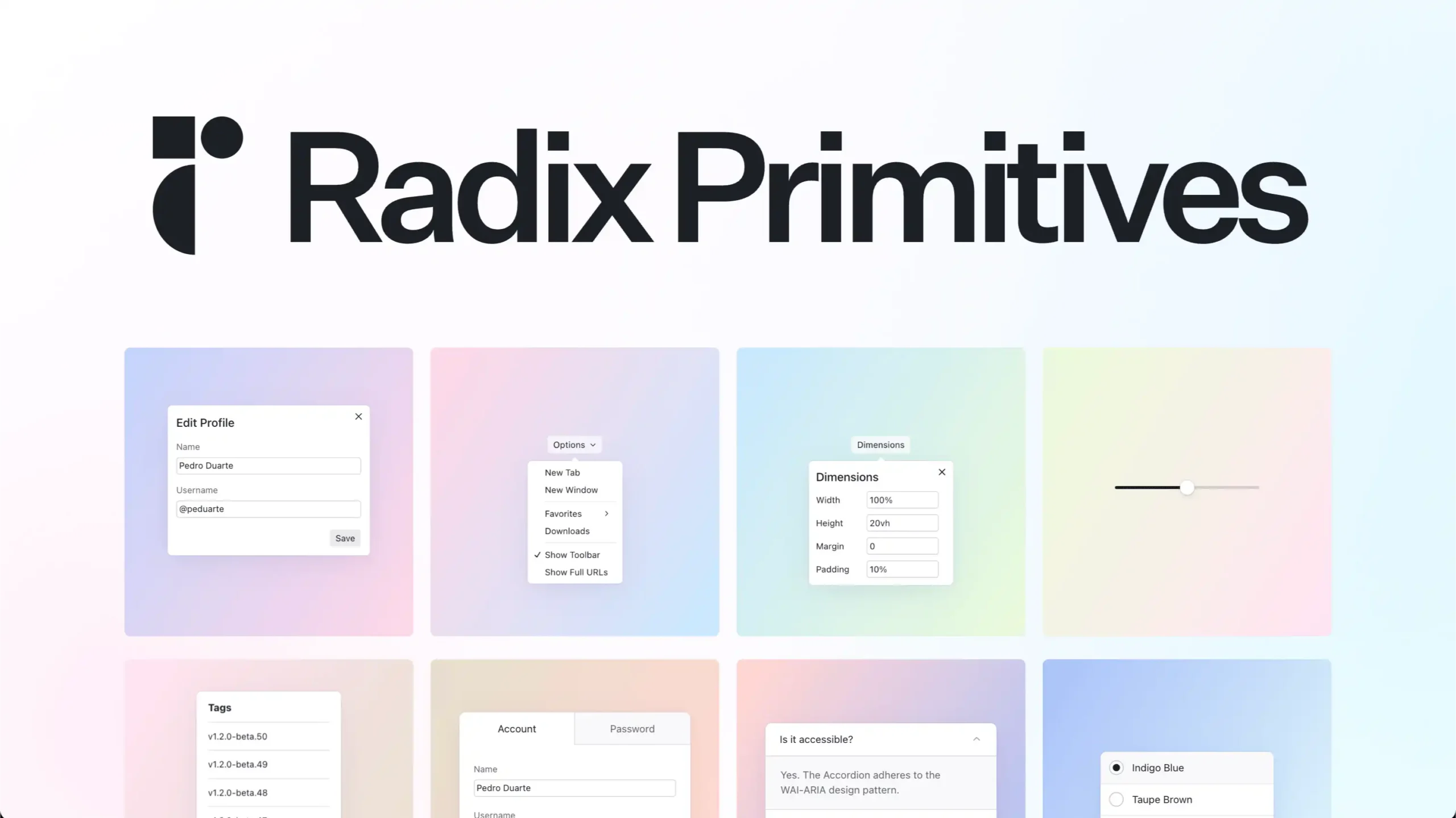
Headless UI primitives that power shadcn/ui. Radix UI provides accessible, customizable components that work with any design system.
Why Developers Use It
- Accessibility-first architecture
- Unstyled component primitives
- Fully customizable
- Keyboard navigation support
- Works with any design system
- Strong React integration
Best For
- Design systems
- Accessible applications
- SaaS dashboards
- Tailwind-based projects
MUI
Material-UI is an open-source React component library that implements Google’s Material Design. It’s easy to use and can be used in production ready projects.
Why Developers Use It
- Complete component library with consistent design
- Material Design implementation
- Large component ecosystem
- Theme customization support
- Enterprise-ready UI system
- Strong community support
Best For
- Enterprise applications
- Admin panels
- Internal business tools
- Large dashboard systems
Prisma
Modern ORM tool with great developer experience. Prisma makes database access easy with auto-generated types. Prisma is a modern ORM focused on type-safe database access and developer productivity.
Why Developers Use It
- Type-safe database queries
- Better database developer experience
- Easy schema management
- Strong TypeScript support
- Migration tooling
- Cleaner backend architecture
Best For
- Full-stack React apps
- SaaS products
- Database-heavy platforms
- TypeScript applications
date-fns
Modern JavaScript date utility library; like Lodash for dates. date-fns provides the most comprehensive, yet simple and consistent toolset for manipulating JavaScript dates.

Why Developers Use It
- Modular architecture
- Tree-shakable imports
- Immutable utility functions
- Large collection of date helpers
- TypeScript support
- Internationalization support
Best For
- Scheduling systems
- Booking applications
- Calendar interfaces
- Time-based dashboards
react-three/fiber
This is React renderer for Three.js that allows developers to build interactive 3D experiences using React components instead of writing complex WebGL or Three.js code manually. It brings the React component model into the world of 3D graphics, making scene creation more structured, reusable, and easier to manage.
The library is heavily used in modern creative development, portfolio websites, AI product demos, landing pages, gaming interfaces, metaverse experiences, and interactive SaaS websites. It also integrates well with tools like Drei, React Spring, Zustand, and post-processing libraries for building advanced 3D interactions and animations.
One of the biggest advantages of react-three-fiber is that it combines React’s state management and component architecture with GPU-powered 3D rendering, making large interactive scenes easier to maintain in production applications.
Why Developers Use It
- Build 3D experiences using React components
- Full access to the Three.js ecosystem
- Declarative scene creation with JSX
- High-performance GPU rendering
- Reusable and component-driven 3D architecture
- Works with animations, physics, and post-processing
- Integrates well with React state management
- Strong TypeScript support
Best For
- Interactive 3D websites
- Creative developer portfolios
- SaaS landing pages with 3D effects
- Product visualizations
- Gaming interfaces
- Metaverse and WebGL projects
- AI and startup showcase websites
- Immersive frontend experiences
Wrapping Up with React NPM Packages
The React ecosystem in 2026 is heavily focused on developer experience, accessibility, performance, and scalability.
While older libraries still remain relevant, newer tools like shadcn/ui, TanStack Query, Zustand, Radix UI, and Vite are reshaping how developers build modern applications.
The Best React npm packages are no longer just utilities.
They now define the architecture, performance, and maintainability of production-ready applications.
Whether you’re building any Modern dashboard, SaaS dashboard, CRM’s, AI tools, analytics platform, or startup MVP, choosing the right NPM packages early can significantly improve both developer productivity and application quality.
If you’re working on modern React dashboards and admin panels, these packages represent some of the most practical tools currently used across production applications in 2026.
If you think we missed any popular React npm package or if you’ve built a package that’s getting traction in the developer community, feel free to contact us or mail us on sanjay(at)wrappixel.com
We’ll review it and may add it to this list in the next update.
Seeking a premium React templates that’s customizable and developer-friendly?

Meet the MaterialPRO React Template – it’s a Next.js gem💎
Crafted with Material UI (MUI) components, this template follows developer standards, offering a unique yet appealing design.
But here’s the kicker – the star of the show is our MUI sidebar! It’s not just visually impressive; it’s a navigation powerhouse. Dive into submenus seamlessly, experiencing a sleek and customizable sidebar that takes your admin dashboards to the next level.
If you’re looking for a detailed React Cheatsheet, be sure to explore our blog for all the essential information.
For those building robust admin panels, don’t miss our exclusive collection of free React dashboard templates.
Additionally, if you’re interested in creating website templates, check out our curated selection of free React website templates to enhance your project